How To Easily Update And Correct Aadhaar Card Details Online Without Hassle
Share this article:
The Aadhaar card has become an essential document in India for verifying identity and address across numerous services. However, it is common for residents to require updates or corrections to their Aadhaar details over time, especially following changes like relocation or name corrections. Ensuring these updates are accurate and timely is crucial to avoid inconveniences in financial and government-related transactions. Fortunately, the unique identification authority has streamlined the update process online, making it straightforward and accessible to all.
Once verified, you can select which detail you wish to update, such as your name, address, or mobile number. For address corrections, it’s important to fill out the new details accurately, ideally in the local language used during your initial enrolment. The portal then requires you to upload scanned, self-attested copies of valid documents supporting the change, such as a passport or voter ID. After submitting the request, an Update Request Number (URN) is generated, allowing you to track the status of your update online.
Ensure all document copies are self-attested, bearing your signature or thumb impression along with your Aadhaar number. For minors below five years, a parent or guardian must sign or provide a thumb impression on the documents.
Simple Steps To Update Or Correct Aadhaar Details Through The Official Portal
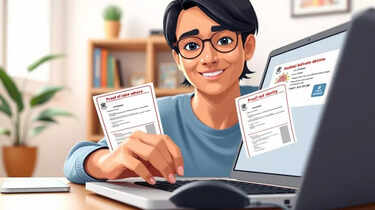
To update or correct details on your Aadhaar card, you need to access the official UIDAI portal designed specifically for self-service updates. Start by visiting the Aadhaar Self Service Update Portal (SSUP) on the UIDAI website. Here, users must input their 12-digit Aadhaar number and verify their identity via an OTP sent to their registered mobile number.Once verified, you can select which detail you wish to update, such as your name, address, or mobile number. For address corrections, it’s important to fill out the new details accurately, ideally in the local language used during your initial enrolment. The portal then requires you to upload scanned, self-attested copies of valid documents supporting the change, such as a passport or voter ID. After submitting the request, an Update Request Number (URN) is generated, allowing you to track the status of your update online.
Updating Your Mobile Number Linked To Aadhaar Made Simple
The Aadhaar-linked mobile number plays a vital role in receiving OTPs and notifications. To update your mobile number linked with Aadhaar, log in to the SSUP using your Aadhaar number and the OTP sent to your currently registered number. Enter the new mobile number and verify it through an OTP sent to this new number. After submission, you will receive a URN to monitor the progress of your request easily.Essential Documents Required For Aadhaar Corrections
When submitting an update request, it’s crucial to upload valid proofs supporting your new information. Documents acceptable for address updates include passports, bank statements, voter ID cards, driving licences, utility bills, and ration cards. Utility bills should be recent, typically not older than three months. Other proofs can include government-issued photo IDs, property tax receipts, insurance policies, pension cards, income tax orders, or registered sale or lease agreements.Ensure all document copies are self-attested, bearing your signature or thumb impression along with your Aadhaar number. For minors below five years, a parent or guardian must sign or provide a thumb impression on the documents.
Processing Time And Charges For Aadhaar Updates
UIDAI processes most Aadhaar update requests within 90 days. Users can track their requests conveniently using the URN on the official portal. Importantly, the online Aadhaar update process is completely free of charge. Note that a maximum of four update requests can be submitted at one time to avoid rejection.Why Keeping Your Aadhaar Details Updated Is Crucial
Keeping your Aadhaar details accurate helps in seamless verification during banking transactions, government subsidies, tax filings, and other official matters. Delays or mismatches due to outdated information can cause significant difficulties, including rejected applications or service denials. Leveraging the UIDAI’s online portal for quick updates ensures your documents are always current and legally valid.Next Story