How To Spot & Avoid Phishing Messages On Your Smartphone Effectively
Share this article:
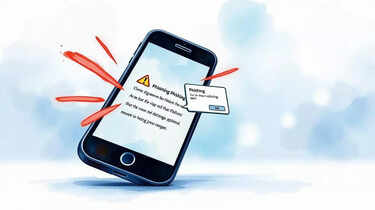
Mobile phones have become our primary tool for communication, banking, shopping, and entertainment, making them a prime target for cybercriminals. Phishing messages , often disguised as urgent texts or emails, trick users into revealing sensitive information such as passwords, bank details or personal identity numbers. According to cybersecurity experts, spotting these fraudulent attempts early and avoiding them is crucial for protecting both your finances and digital identity. With the right knowledge, you can stay safe from these threats.
Spotting and avoiding phishing messages on your phone requires a mix of awareness, caution, and technological support. By identifying red flags, verifying senders, avoiding suspicious links, and using security tools, you can safeguard yourself from cybercriminals. Experts highlight that being cautious with your information and staying updated on new phishing strategies will ensure your smartphone remains a secure device for both personal and professional use.
Disclaimer: This article is for informational purposes only and does not replace professional cybersecurity advice. Readers are encouraged to follow official guidance and seek expert consultation for specific security concerns.
Understanding What Phishing Is
Phishing is a fraudulent attempt to obtain sensitive information by disguising as a trustworthy entity. On phones, this usually comes in the form of SMS (smishing), emails, or even instant messages. These communications often carry urgent language, pushing users to click on malicious links or provide personal details. Understanding the basics of phishing is the first step towards staying protected.Warning Signs Of A Phishing Message
Cybersecurity professionals advise paying close attention to certain red flags. Poor grammar, spelling errors, suspicious web links, and unrecognised sender IDs are common signs. Messages that urge immediate action, such as “verify your account now” or “click this link to claim a prize”, should be treated with suspicion. Legitimate institutions rarely communicate in such aggressive tones, making urgency one of the biggest clues.Checking Sender Information Carefully
Fraudsters often manipulate sender names to appear genuine, but on closer inspection, the email address or number may look unusual. For example, an official bank address might be mimicked using extra characters or misspellings. Experts suggest always verifying the sender through official channels before responding to any unexpected message.Avoiding Suspicious Links And Attachments
Phishing attempts frequently rely on malicious links or attachments. Clicking on these can lead to malware downloads or fraudulent websites designed to steal login details. A simple precaution is to avoid clicking links in unsolicited messages. Instead, manually enter the organisation’s website address in your browser to ensure authenticity.Using Security Features On Your Phone
Most smartphones come equipped with built-in security settings that can block spam and phishing attempts. Activating two-factor authentication, installing trusted security apps, and enabling spam filters can significantly reduce risks. Experts also recommend keeping your operating system and apps updated to patch security vulnerabilities.Being Careful With Personal Information
Never share sensitive information such as banking details, passwords, or identification numbers over email or text. Genuine organisations typically do not request such details via messages. If a message appears suspicious but claims urgency, contacting the organisation directly through customer support is the safest option.Reporting And Blocking Phishing Attempts
Apart from ignoring suspicious messages, reporting them helps protect others. Most service providers allow users to forward spam or phishing texts to a dedicated reporting number. Blocking the sender prevents repeated attempts, reducing exposure to similar scams in future.Educating Yourself And Others
Phishing tactics are evolving, making awareness vital. Regularly updating yourself on new scam trends can help you remain vigilant. Sharing knowledge with friends and family, especially those less familiar with digital threats, strengthens overall protection. Cybersecurity experts stress that prevention through awareness is one of the most effective tools against phishing.Spotting and avoiding phishing messages on your phone requires a mix of awareness, caution, and technological support. By identifying red flags, verifying senders, avoiding suspicious links, and using security tools, you can safeguard yourself from cybercriminals. Experts highlight that being cautious with your information and staying updated on new phishing strategies will ensure your smartphone remains a secure device for both personal and professional use.
Disclaimer: This article is for informational purposes only and does not replace professional cybersecurity advice. Readers are encouraged to follow official guidance and seek expert consultation for specific security concerns.
Next Story