
Aadhaar Card Photo Update: Step-by-Step Guide to Fix a Blurry Photo

Is your Aadhaar card photo blurry or outdated? Updating the photo on your Aadhaar card is easier than you might think. While you cannot update the photo completely online due to security checks, following the official process ensures your Aadhaar stays accurate and up to date. Here’s a complete guide to updating your Aadhaar card photo.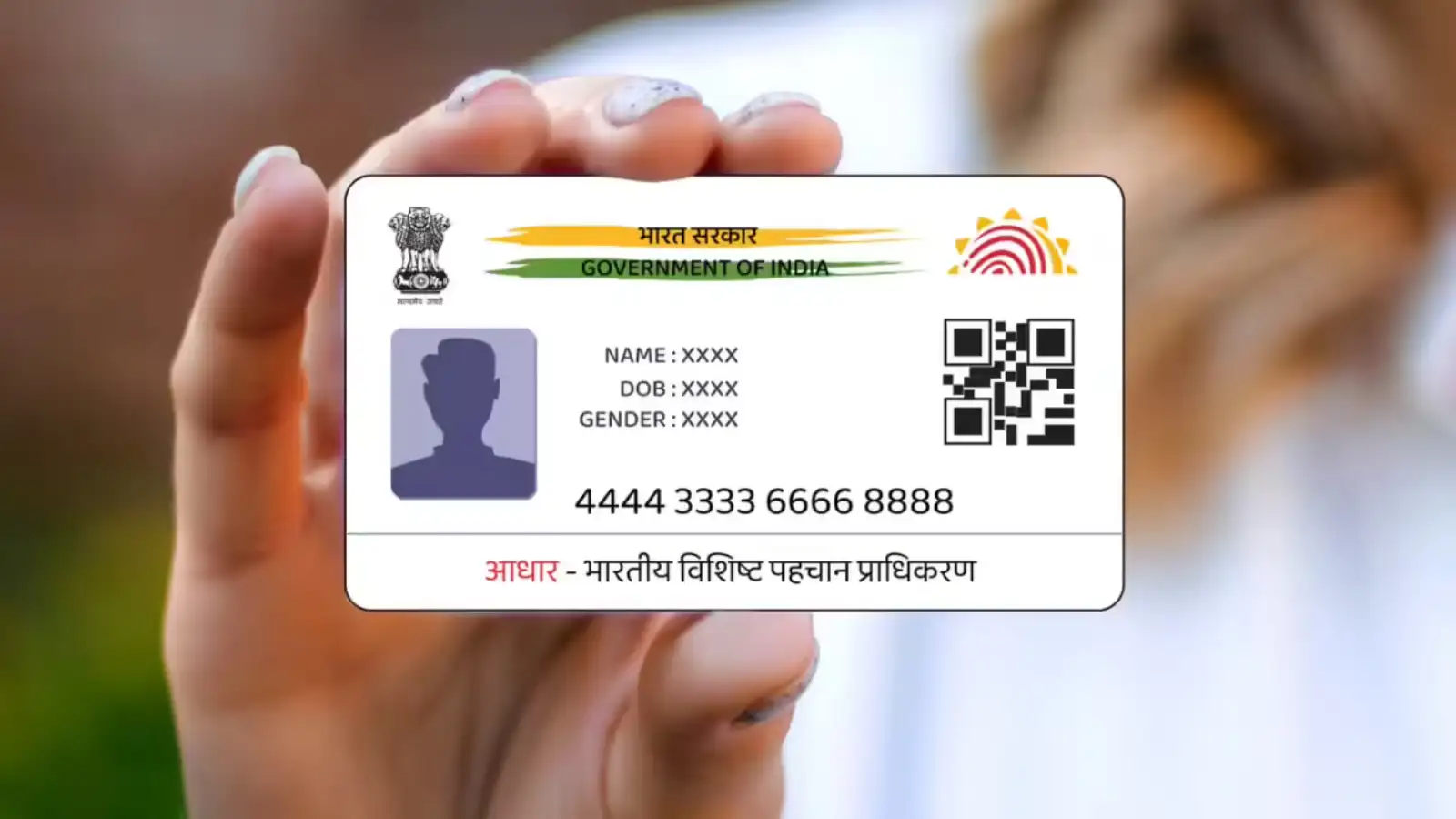
Why Update Your Aadhaar Card Photo?
A clear photo on your Aadhaar card is essential for identity verification across government and private services. Whether your current photo is outdated or blurred, refreshing it ensures smooth verification when required for banking, travel, or official documentation.
Step 1: Schedule an Appointment Online
To save time, visit the official UIDAI website at uidai.gov.in.
Step 2: Visit Your Nearest Aadhaar Seva Kendra
On the day of your appointment, carry the following:
Your biometric verification will be required, so an in-person visit is mandatory.
Step 3: Fill Out the Aadhaar Update Form
At the center:
Step 4: Payment and Receipt
A nominal fee of Rs 100 (including GST) is applicable for photo updates. After payment:
Step 5: Photo Update Timeline
Note: Many online claims suggest you can update your photo via apps or websites, but UIDAI requires at least one in-person visit for photo changes.
Updating Your Aadhaar Address Digitally
While photo updates require a visit, updating your home address has become much simpler. With the new UIDAI Aadhaar mobile app :
Key Takeaways
This guide ensures your Aadhaar card photo update process is smooth, secure, and hassle-free.
Why Update Your Aadhaar Card Photo?
A clear photo on your Aadhaar card is essential for identity verification across government and private services. Whether your current photo is outdated or blurred, refreshing it ensures smooth verification when required for banking, travel, or official documentation.
Step 1: Schedule an Appointment Online
To save time, visit the official UIDAI website at uidai.gov.in.
You may also like
- "Shivakumar didn't come to Delhi to breathe air": BJP's R Ashoka slams Karnataka Congress leadership tussle
- Manager spent 7 years micromanaging his team, employee has the last laugh: 'Felt so powerful'
- Bharti Singh breaks down watching her two month old Kaju get his first vaccination
- Record number of detained immigrants opt for voluntary departure in US
 Baseless and fabricated: Haryana CM on Punjab AAP's allegations against him
- Navigate to the “My Aadhaar” section.
- Click on “Book an Appointment”.
- Select your city and preferred date to avoid long waits at the center.
Step 2: Visit Your Nearest Aadhaar Seva Kendra
On the day of your appointment, carry the following:
- Original Aadhaar card
- Proof of Identity (PAN card, voter ID, passport, etc.)
Your biometric verification will be required, so an in-person visit is mandatory.
Step 3: Fill Out the Aadhaar Update Form
At the center:
- Complete the Aadhaar Update Form with the required details.
- The operator will capture your live photo, eliminating the need to bring a new photo.
- Your fingerprint and iris scan will also be taken for identity verification.
Step 4: Payment and Receipt
A nominal fee of Rs 100 (including GST) is applicable for photo updates. After payment:
- You will receive a receipt with a URN (Update Request Number).
- This number helps you track your Aadhaar photo update online.
Step 5: Photo Update Timeline
- Typically, the update takes 15 to 90 days.
- No extra documents are required; your Aadhaar number is sufficient.
- Once updated, you can download your e-Aadhaar from UIDAI or request a PVC Aadhaar card.
Note: Many online claims suggest you can update your photo via apps or websites, but UIDAI requires at least one in-person visit for photo changes.
Updating Your Aadhaar Address Digitally
While photo updates require a visit, updating your home address has become much simpler. With the new UIDAI Aadhaar mobile app :
- Users can update addresses online from home.
- This is convenient for working professionals, senior citizens, and people in remote areas.
- Ensure your mobile number is linked to your Aadhaar and that you have a stable internet connection.
Key Takeaways
- Blurry or outdated Aadhaar photos can be updated at Aadhaar Seva Kendras.
- A live photo and biometric verification are mandatory.
- Updates take 15-90 days, with online tracking available via URN.
- Home address updates are now fully digital through the UIDAI app.
This guide ensures your Aadhaar card photo update process is smooth, secure, and hassle-free.






More from our partners


Loving Newspoint? Download the app now
