
Aadhaar Safety Guide: How to Lock and Unlock Biometrics to Prevent Fraud

Aadhaar-based verification is widely used across India, but not many users know they can switch off biometric access when it’s not needed. UIDAI’s biometric lock feature helps prevent fraud by disabling fingerprint and iris authentication until the user chooses to unlock it.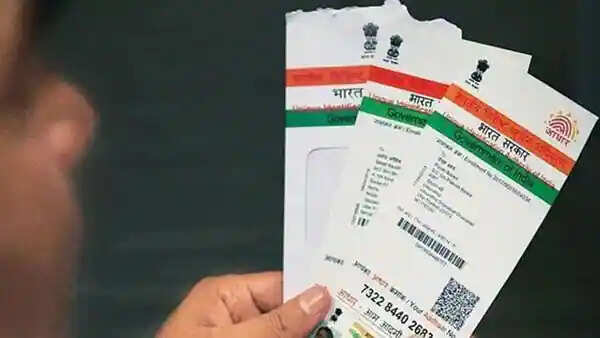
What are Aadhaar biometrics and why are they sensitive?
When you enrolled for Aadhaar, you shared unique biological identifiers that help confirm your identity. These biometrics mainly include your fingerprints and iris scans. Fingerprints are the distinct patterns on your fingertips, while iris scans capture the unique design in the coloured part of your eyes. Since these details are permanent and cannot be changed like passwords, protecting them is extremely important.
Why you should lock your Aadhaar biometrics
Locking your biometrics adds an extra layer of security to your Aadhaar. It helps protect your personal information from fraud, identity theft and unauthorised transactions. Even if someone gets access to your Aadhaar number, they won’t be able to authenticate using your fingerprints or iris scans unless you unlock them.
This feature is particularly useful in today’s digital environment, where Aadhaar-based verification is widely used across services.
How biometric locking prevents unauthorised use
Once your biometrics are locked, any attempt to use fingerprint or iris authentication will fail automatically. The system recognises that your biometrics are disabled and blocks the transaction. This means you remain fully in control of when and how your Aadhaar identity is used.
Biometric locking is ideal if you do not frequently use Aadhaar-based authentication. You can keep your biometrics locked at all times and unlock them temporarily only when you need to verify your identity—for example, at a bank, service centre or government office.
Step-by-step guide to lock Aadhaar biometrics
You can lock your Aadhaar biometrics online by following these simple steps:
How to unlock biometrics when required
If you need Aadhaar authentication, return to the same UIDAI portal and log in using OTP. Unlock your biometrics temporarily, complete your authentication, and lock them again immediately after use for continued safety.
Important things to keep in mind
By using the biometric lock feature, Aadhaar holders can significantly reduce the risk of fraud and misuse. A few simple steps can help you take full control of your digital identity and keep your personal information safe.
Managing your Aadhaar biometrics goes beyond simply locking them. Knowing how to check their status, unlock them safely when required and monitor their usage plays a key role in protecting your digital identity. With Aadhaar being used for a wide range of services, staying informed helps you reduce the risk of misuse and fraud.
How to check if your Aadhaar biometrics are locked
If you want to confirm whether your biometrics are currently locked or unlocked, you can do so easily through the official Aadhaar website. Visit the Lock/Unlock Biometrics section, enter your 12-digit Aadhaar number and complete the OTP verification sent to your registered mobile number. Once verified, the portal will clearly show the current status of your biometrics.
When do you need to unlock your biometrics?
Certain services such as banking, government benefits or identity verification may require Aadhaar biometric authentication. In these situations, you will need to unlock your biometrics. UIDAI gives you the flexibility to unlock them temporarily for a short duration or permanently, depending on your usage needs.
Temporarily unlocking biometrics for safer use
Temporary unlocking is considered the safest option for most users. When you choose this option, your biometrics remain active for a limited period, usually around 10 minutes. This allows you to complete your transaction and then automatically locks your biometrics again, offering a balance between convenience and security.
If you regularly use services that require Aadhaar biometric authentication, you may opt to permanently unlock your biometrics. However, keeping them unlocked for long periods can increase the risk of unauthorised access. It is generally advisable to keep biometrics locked by default and unlock them only when necessary.
Step-by-step process to unlock Aadhaar biometrics
Unlocking your biometrics is simple and similar to the locking process:
How to verify biometrics are unlocked
After completing the unlock process, the Aadhaar portal will display a confirmation message. You can also verify by using your Aadhaar for a service that requires biometric authentication to ensure it is functioning correctly.
Key safety tips to manage your biometrics effectively
Always use the official Aadhaar portal
Only use UIDAI’s official website for Aadhaar-related services. Be cautious of fake links, messages or calls that ask for Aadhaar details, as these may be attempts to steal your information.
Keep your mobile number updated
Your registered mobile number is essential for receiving OTPs. If your number changes, update it with Aadhaar immediately to avoid issues accessing biometric services.
Regularly check Aadhaar authentication history
The Aadhaar website allows you to review your authentication history, showing when and where your Aadhaar was used. Checking this regularly can help you detect any unusual or unauthorised activity early.
You are in control of your Aadhaar biometrics
Your Aadhaar biometrics are entirely under your control. UIDAI’s locking and unlocking features are designed to empower users and strengthen security. By understanding how these tools work and using them responsibly, you can keep your Aadhaar safe and maintain confidence in your digital identity.
What are Aadhaar biometrics and why are they sensitive?
When you enrolled for Aadhaar, you shared unique biological identifiers that help confirm your identity. These biometrics mainly include your fingerprints and iris scans. Fingerprints are the distinct patterns on your fingertips, while iris scans capture the unique design in the coloured part of your eyes. Since these details are permanent and cannot be changed like passwords, protecting them is extremely important.Why you should lock your Aadhaar biometrics
Locking your biometrics adds an extra layer of security to your Aadhaar. It helps protect your personal information from fraud, identity theft and unauthorised transactions. Even if someone gets access to your Aadhaar number, they won’t be able to authenticate using your fingerprints or iris scans unless you unlock them.This feature is particularly useful in today’s digital environment, where Aadhaar-based verification is widely used across services.
How biometric locking prevents unauthorised use
Once your biometrics are locked, any attempt to use fingerprint or iris authentication will fail automatically. The system recognises that your biometrics are disabled and blocks the transaction. This means you remain fully in control of when and how your Aadhaar identity is used. When should you use biometric lock?
Biometric locking is ideal if you do not frequently use Aadhaar-based authentication. You can keep your biometrics locked at all times and unlock them temporarily only when you need to verify your identity—for example, at a bank, service centre or government office.
Step-by-step guide to lock Aadhaar biometrics
You can lock your Aadhaar biometrics online by following these simple steps:
- Visit the official UIDAI website
- Select the Lock/Unlock Biometrics option under Aadhaar services
- Enter your 12-digit Aadhaar number and captcha code
- Click Send OTP and enter the OTP sent to your registered mobile number
- Choose Lock Biometrics and confirm
- You will receive a confirmation message once your biometrics are successfully locked.
How to unlock biometrics when required
If you need Aadhaar authentication, return to the same UIDAI portal and log in using OTP. Unlock your biometrics temporarily, complete your authentication, and lock them again immediately after use for continued safety.
Important things to keep in mind
- Always access Aadhaar services only through the official UIDAI website
- Ensure your mobile number is linked with Aadhaar
- Lock biometrics when not in regular use
- Unlock biometrics only when absolutely necessary
By using the biometric lock feature, Aadhaar holders can significantly reduce the risk of fraud and misuse. A few simple steps can help you take full control of your digital identity and keep your personal information safe.
Managing your Aadhaar biometrics goes beyond simply locking them. Knowing how to check their status, unlock them safely when required and monitor their usage plays a key role in protecting your digital identity. With Aadhaar being used for a wide range of services, staying informed helps you reduce the risk of misuse and fraud.
How to check if your Aadhaar biometrics are locked
If you want to confirm whether your biometrics are currently locked or unlocked, you can do so easily through the official Aadhaar website. Visit the Lock/Unlock Biometrics section, enter your 12-digit Aadhaar number and complete the OTP verification sent to your registered mobile number. Once verified, the portal will clearly show the current status of your biometrics.
When do you need to unlock your biometrics?
Certain services such as banking, government benefits or identity verification may require Aadhaar biometric authentication. In these situations, you will need to unlock your biometrics. UIDAI gives you the flexibility to unlock them temporarily for a short duration or permanently, depending on your usage needs. Temporarily unlocking biometrics for safer use
Temporary unlocking is considered the safest option for most users. When you choose this option, your biometrics remain active for a limited period, usually around 10 minutes. This allows you to complete your transaction and then automatically locks your biometrics again, offering a balance between convenience and security. Permanently unlocking biometrics
If you regularly use services that require Aadhaar biometric authentication, you may opt to permanently unlock your biometrics. However, keeping them unlocked for long periods can increase the risk of unauthorised access. It is generally advisable to keep biometrics locked by default and unlock them only when necessary.
Step-by-step process to unlock Aadhaar biometrics
Unlocking your biometrics is simple and similar to the locking process:
- Visit the official Aadhaar website
- Select Lock/Unlock Biometrics under Aadhaar services
- Enter your Aadhaar number and security code
- Verify your identity using the OTP sent to your registered mobile number
- Choose between temporary or permanent unlock and confirm
- A confirmation message will appear once the process is successful.
How to verify biometrics are unlocked
After completing the unlock process, the Aadhaar portal will display a confirmation message. You can also verify by using your Aadhaar for a service that requires biometric authentication to ensure it is functioning correctly.
Key safety tips to manage your biometrics effectively
Always use the official Aadhaar portal
Only use UIDAI’s official website for Aadhaar-related services. Be cautious of fake links, messages or calls that ask for Aadhaar details, as these may be attempts to steal your information.
Keep your mobile number updated
Your registered mobile number is essential for receiving OTPs. If your number changes, update it with Aadhaar immediately to avoid issues accessing biometric services.Regularly check Aadhaar authentication history
The Aadhaar website allows you to review your authentication history, showing when and where your Aadhaar was used. Checking this regularly can help you detect any unusual or unauthorised activity early. You are in control of your Aadhaar biometrics
Your Aadhaar biometrics are entirely under your control. UIDAI’s locking and unlocking features are designed to empower users and strengthen security. By understanding how these tools work and using them responsibly, you can keep your Aadhaar safe and maintain confidence in your digital identity. Next Story