
PAN Card Correction Made Easy: Fix Name, DOB, Photo & Signature Online From Home

If there’s a spelling mistake on your PAN card, an incorrect father’s or mother’s name, or even a wrong date of birth, you no longer need to stress. The Income Tax Department now allows PAN card correction completely online, using just your mobile phone, no queues, no paperwork hassles.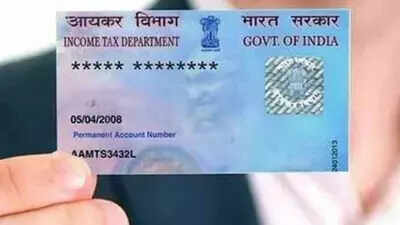
What’s more, you can also update your photo and signature online. Once the correction process is complete, a revised PAN card is delivered to your home via post, while a digital e-PAN is sent quickly to your registered Gmail ID. This means you can start using your corrected PAN even before the physical card arrives.
Step 1: Visit the official Protean PAN Services portal.
Step 2: Click on “Apply for PAN” on the homepage.
Step 3: Select “Change or Correction” under Application Type and choose “Individual” as Applicant Category.
Step 4: Enter the correct details- name, mobile number, Gmail ID, date of birth, and PAN number.
Step 5: A Token Number will appear. Click Continue to proceed.
Step 6: Choose “PAN application with supporting documents (Scan, Upload & eSign)”.
Step 7: Select Physical PAN card + e-PAN, enter the last 4 digits of your Aadhaar, and fill in the correct personal details.
Step 8: Upload required documents and photos, make the payment, complete Aadhaar authentication, and submit the application.
That’s it, your correction request is done.
Step 1: Visit the PAN services portal.
Step 2: Click on “Know Status of PAN Application”.
Step 3: Select “PAN New/Change Request” as Application Type.
Step 4: Enter your Acknowledgement Number, verify the captcha, and submit.
Step 5: You can now see whether the correction is complete and if the PAN card has been dispatched.
Correcting mistakes on your PAN card is now quick, online, and stress-free. With Aadhaar authentication, instant e-PAN delivery, and doorstep service for the physical card, updating your PAN has never been easier. If your details are wrong, don’t delay, fix them online from the comfort of your home today.
What’s more, you can also update your photo and signature online. Once the correction process is complete, a revised PAN card is delivered to your home via post, while a digital e-PAN is sent quickly to your registered Gmail ID. This means you can start using your corrected PAN even before the physical card arrives.
No Documents, No Visits, Just Aadhaar Authentication
The entire correction process is digital. You don’t need to send or submit any physical documents, as long as your mobile number is linked to your Aadhaar card. Aadhaar-based authentication makes the process fast and seamless.Here’s a simple step-by-step guide to correct your PAN card online.
How to Correct PAN Card Online: Step-by-Step GuideStep 1: Visit the official Protean PAN Services portal.
Step 2: Click on “Apply for PAN” on the homepage.
Step 3: Select “Change or Correction” under Application Type and choose “Individual” as Applicant Category.
Step 4: Enter the correct details- name, mobile number, Gmail ID, date of birth, and PAN number.
Step 5: A Token Number will appear. Click Continue to proceed.
Step 6: Choose “PAN application with supporting documents (Scan, Upload & eSign)”.
Step 7: Select Physical PAN card + e-PAN, enter the last 4 digits of your Aadhaar, and fill in the correct personal details.
Step 8: Upload required documents and photos, make the payment, complete Aadhaar authentication, and submit the application.
That’s it, your correction request is done.
How to Check PAN Card Correction Status Online
Once you submit the application, you’ll receive an Acknowledgement Number. Use it to track your PAN correction status.Step 1: Visit the PAN services portal.
Step 2: Click on “Know Status of PAN Application”.
Step 3: Select “PAN New/Change Request” as Application Type.
Step 4: Enter your Acknowledgement Number, verify the captcha, and submit.
Step 5: You can now see whether the correction is complete and if the PAN card has been dispatched.
Correcting mistakes on your PAN card is now quick, online, and stress-free. With Aadhaar authentication, instant e-PAN delivery, and doorstep service for the physical card, updating your PAN has never been easier. If your details are wrong, don’t delay, fix them online from the comfort of your home today.
Next Story