
Android Battery Draining Fast? Try These Simple Fixes

Is your Android phone’s battery running out much faster than it used to? Rapid battery drain is a common issue, especially with heavy app usage and constant connectivity. The good news is that you don’t need a new phone right away these simple fixes can help extend your battery life and keep your device going longer.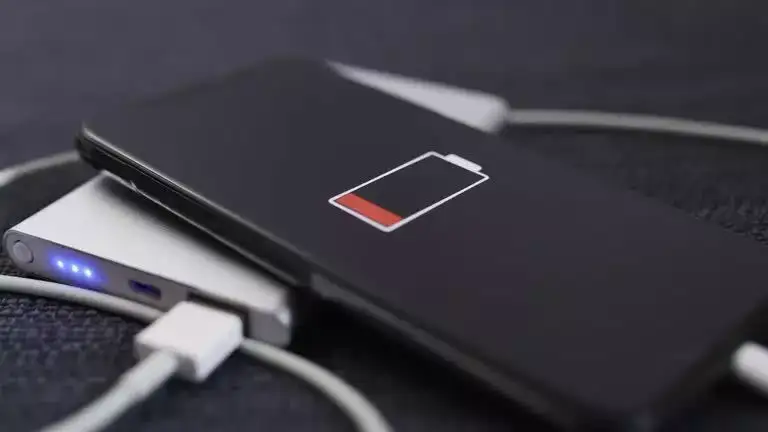
Check Battery Usage
Start by reviewing which apps are using the most power. Go to Settings > Battery > Usage to identify apps draining your battery in the background. Uninstall or restrict apps you rarely use.
Lower Screen Brightness
Your phone’s display is the biggest battery consumer. Reduce brightness manually or enable adaptive brightness. Also, shorten screen timeout so the display turns off when idle.
Turn On Battery Saver Mode
Battery saver mode limits background activity, reduces visual effects, and helps your phone last longer, especially when the battery is running low.
Disable Unused Features
Wi-Fi, Bluetooth, GPS, and mobile data drain power when always on. Turn off features you’re not using, particularly location services and hotspot.
Update Apps and Software
Outdated apps can cause excessive battery drain due to bugs. Regularly updating your apps and Android system improves performance and power efficiency.
Use Dark Mode
If your phone has an AMOLED or OLED display, switching to dark mode can save significant battery power, as dark pixels consume less energy.
Constant alerts wake your screen and consume power. Disable unnecessary notifications and limit background syncing for emails and social media apps.
Avoid Live Wallpapers and Widgets
Animated wallpapers and constantly refreshing widgets use extra power. Switch to static wallpapers and keep only essential widgets on your home screen.
Watch Your Charging Habits
Avoid letting your battery drain to 0% frequently or keeping it plugged in overnight. Charging between 20% and 80% helps maintain battery health over time.
Keep Your Phone Cool
Heat damages battery efficiency. Avoid using your phone in direct sunlight or while charging for long periods.
Fast battery drain can be frustrating, but small changes make a big difference. With these easy fixes, you can extend your Android phone’s battery life and enjoy better performance every day.
Check Battery Usage
Start by reviewing which apps are using the most power. Go to Settings > Battery > Usage to identify apps draining your battery in the background. Uninstall or restrict apps you rarely use.Lower Screen Brightness
Your phone’s display is the biggest battery consumer. Reduce brightness manually or enable adaptive brightness. Also, shorten screen timeout so the display turns off when idle.Turn On Battery Saver Mode
Battery saver mode limits background activity, reduces visual effects, and helps your phone last longer, especially when the battery is running low. Disable Unused Features
Wi-Fi, Bluetooth, GPS, and mobile data drain power when always on. Turn off features you’re not using, particularly location services and hotspot.Update Apps and Software
Outdated apps can cause excessive battery drain due to bugs. Regularly updating your apps and Android system improves performance and power efficiency. Use Dark Mode
If your phone has an AMOLED or OLED display, switching to dark mode can save significant battery power, as dark pixels consume less energy. Reduce Notifications
Constant alerts wake your screen and consume power. Disable unnecessary notifications and limit background syncing for emails and social media apps.
Avoid Live Wallpapers and Widgets
Animated wallpapers and constantly refreshing widgets use extra power. Switch to static wallpapers and keep only essential widgets on your home screen. Watch Your Charging Habits
Avoid letting your battery drain to 0% frequently or keeping it plugged in overnight. Charging between 20% and 80% helps maintain battery health over time.Keep Your Phone Cool
Heat damages battery efficiency. Avoid using your phone in direct sunlight or while charging for long periods. Fast battery drain can be frustrating, but small changes make a big difference. With these easy fixes, you can extend your Android phone’s battery life and enjoy better performance every day.
Next Story