
Spice Up Your Chats: A Guide to Creating Your Own WhatsApp Stickers

WhatsApp , the widely-used instant messaging application, has unveiled a set of compelling features aimed at enriching the overall user experience. The latest addition, introduced on Thursday, enables iOS users to seamlessly create, edit, and share stickers within the WhatsApp platform itself, eliminating the need to use external applications.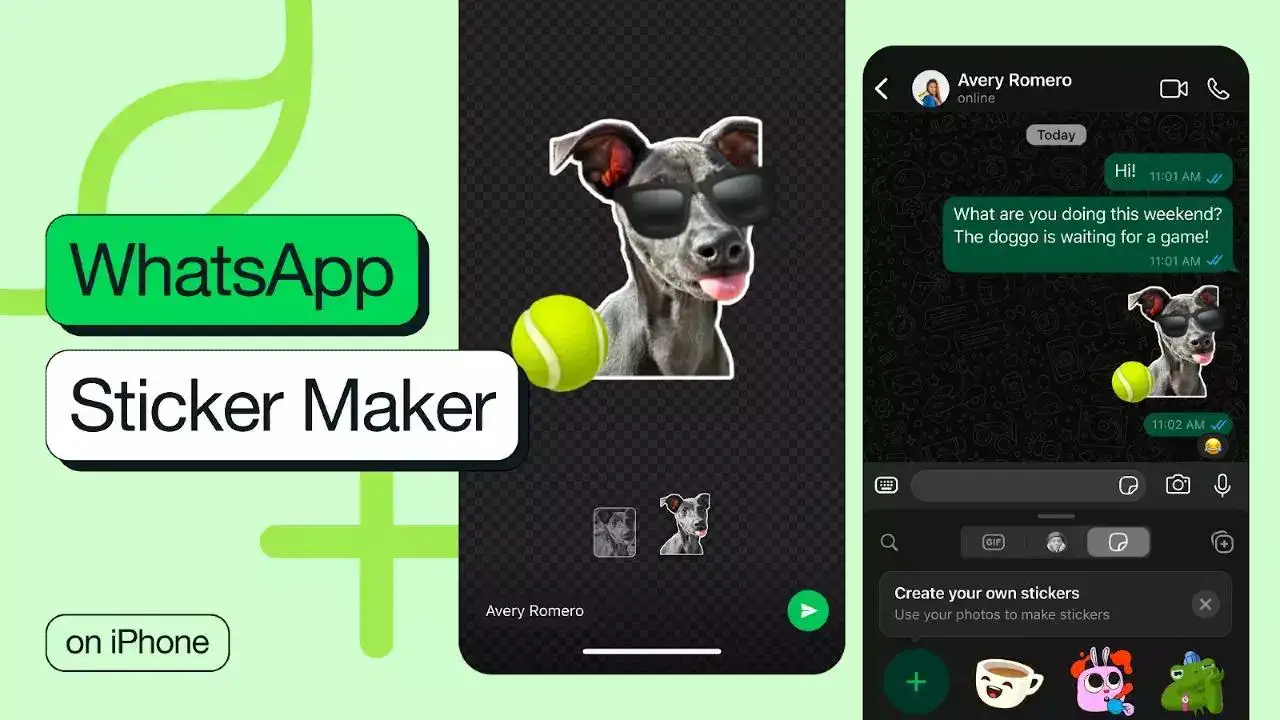
This innovative feature not only brings an element of fun to regular conversations but also empowers users to infuse creativity by transforming their photos into personalised stickers. An interesting aspect is that the process doesn't involve cumbersome tasks like dragging and dropping from the image gallery or relying on unofficial third-party apps. Notably, the new feature is fortified by WhatsApp's robust end-to-end encryption, ensuring a secure user experience.
Creating stickers is a breeze with the platform's auto-crop function and a suite of editing tools that facilitate customisation of text and drawings. Once a sticker is sent, it automatically gets saved in the sticker tray, allowing users to easily reshare it whenever desired.
For those eager to craft their own stickers, here's a step-by-step guide:
Additionally, users can also edit existing stickers with the following steps:
This feature is already available on WhatsApp Web and is set to roll out on iOS 17+ in the coming days. Users with older iOS versions will have the capability to edit existing stickers but won't be able to create new ones.
This innovative feature not only brings an element of fun to regular conversations but also empowers users to infuse creativity by transforming their photos into personalised stickers. An interesting aspect is that the process doesn't involve cumbersome tasks like dragging and dropping from the image gallery or relying on unofficial third-party apps. Notably, the new feature is fortified by WhatsApp's robust end-to-end encryption, ensuring a secure user experience.
Creating stickers is a breeze with the platform's auto-crop function and a suite of editing tools that facilitate customisation of text and drawings. Once a sticker is sent, it automatically gets saved in the sticker tray, allowing users to easily reshare it whenever desired.
For those eager to craft their own stickers, here's a step-by-step guide:
- Open the sticker tray by selecting the sticker icon located to the right of the text box.
- Choose the 'create sticker' option and select a picture from the gallery.
- Personalise the sticker by applying a cutout and adding text, other stickers, or drawings.
- Hit send to share your newly created sticker.
Additionally, users can also edit existing stickers with the following steps:
- Go to the sticker tray and long-press on the sticker you wish to edit.
- Select the 'edit sticker' option.
- Customise the sticker by adding text, additional stickers, or drawings.
- Hit send once the desired edits are made.
This feature is already available on WhatsApp Web and is set to roll out on iOS 17+ in the coming days. Users with older iOS versions will have the capability to edit existing stickers but won't be able to create new ones.
Next Story