
What Do the Yellow, Green and Blue Buttons on Your TV Remote Actually Mean?

Most of us use our TV remote every day to change channels, adjust the volume, or open apps on our smart TV. But there are a few buttons that often leave people puzzled. If you look closely at many remotes, you will notice a set of colored buttons such as yellow, green, blue, and sometimes red.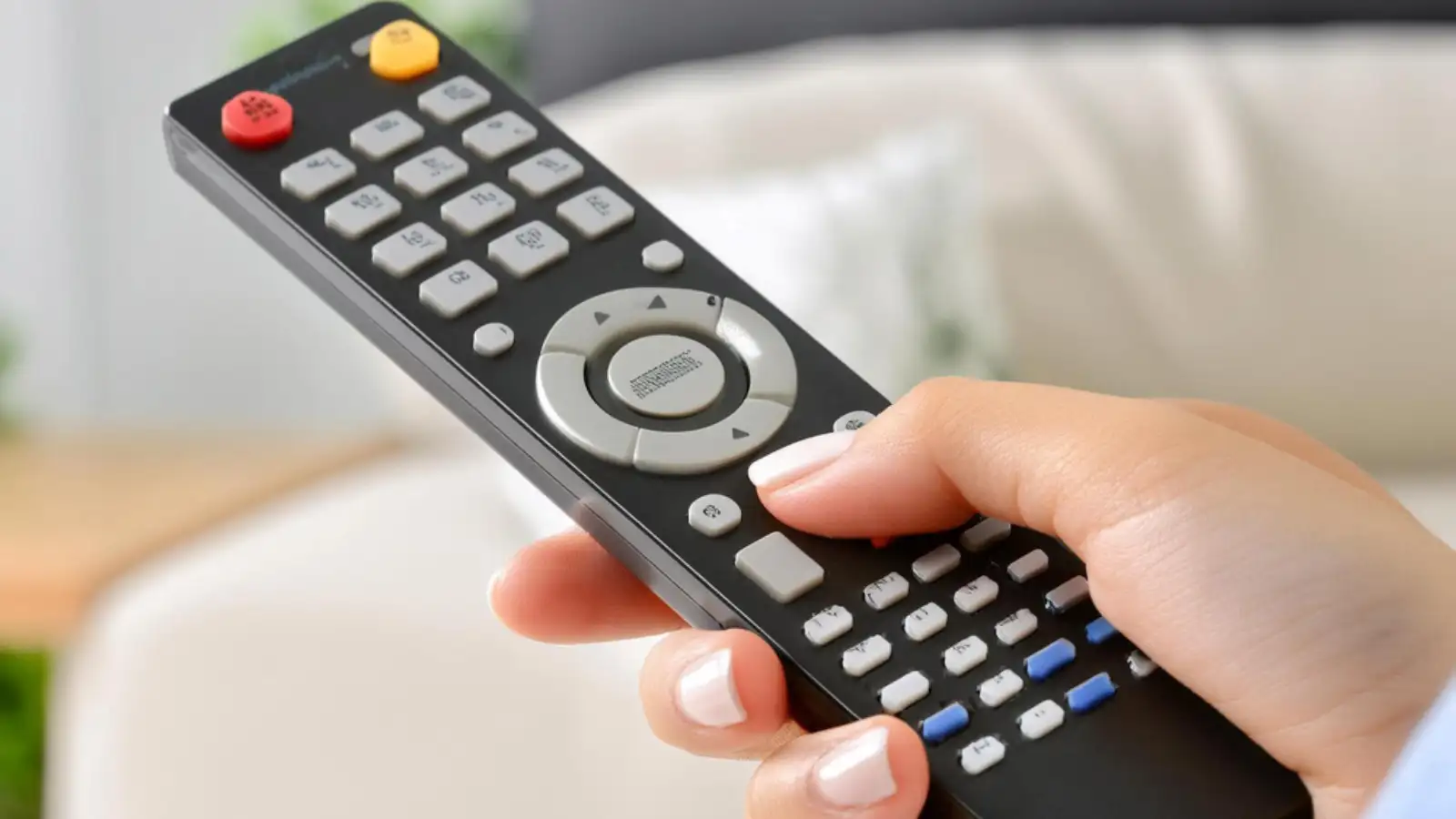
Many viewers rarely press these buttons because they are unsure what they actually do. However, these colored buttons are not random design choices. They are shortcuts that help you access specific features or functions on your TV or connected device. Depending on the TV brand, operating system, or service provider, their purpose may change slightly.
Here is a simple explanation of what the yellow, green, and blue buttons on your TV remote usually mean.
Instead of searching through multiple menus, you can simply press a colored button to open a particular feature. For example, some streaming apps, digital program guides, or broadcast services assign different functions to these buttons to improve user experience.
Another important thing to know is that these buttons are often context-based. That means their function may change depending on what you are doing on the screen. If you are watching live TV, browsing the program guide, or using a streaming app, the same button might perform a different task.
In many smart TVs or digital TV services, pressing the yellow button can open extra features such as subtitles, audio options, or advanced viewing settings. It can also give you quick access to favourite channels or special options related to the program you are watching.
Some television systems also use the yellow button as a shortcut to open a menu that shows extra commands or actions. This makes it easier to manage your viewing preferences without navigating through complicated menus.
On certain TVs and digital services, pressing the green button may open interactive content, show additional information about the current program, or switch to a previously viewed channel.
In some cases, the green button can also help you access lists such as channel information or favourites. Because these functions depend on the device or broadcast service, the exact purpose of the green button can vary between TV brands.
On many devices, pressing the blue button opens context-based menus related to the content you are watching. For example, it may show program information, bring up additional viewing options, or open system menus.
Some smart TVs also use the blue button to activate advanced features such as picture-in-picture mode or service menus designed for troubleshooting and technical support.
For example, a streaming platform might use the colored buttons for quick navigation, while a cable provider may assign them to open channel guides or messages. In other cases, Blu-ray discs and smart TV applications also use these buttons to trigger special features.
Because of this, the exact function of the yellow, green, and blue buttons depends on the TV model, operating system, or connected device.
The colored buttons on your TV remote may seem mysterious, but they actually serve a useful purpose. The yellow, green, and blue buttons act as shortcut keys that help you quickly access features such as settings, program information, menus, or interactive services.
While their exact functions can vary depending on your TV or service provider, these buttons are designed to make navigation faster and more convenient. So the next time you are using your TV remote, try pressing these colored buttons. You might discover helpful features you never knew existed.
Many viewers rarely press these buttons because they are unsure what they actually do. However, these colored buttons are not random design choices. They are shortcuts that help you access specific features or functions on your TV or connected device. Depending on the TV brand, operating system, or service provider, their purpose may change slightly.
Here is a simple explanation of what the yellow, green, and blue buttons on your TV remote usually mean.
Why TV Remotes Have Colored Buttons
The colored buttons on a TV remote are designed to act as quick shortcut keys for different functions. These buttons are commonly used in smart TVs, digital TVs, and set-top boxes to make navigation faster and easier.Instead of searching through multiple menus, you can simply press a colored button to open a particular feature. For example, some streaming apps, digital program guides, or broadcast services assign different functions to these buttons to improve user experience.
Another important thing to know is that these buttons are often context-based. That means their function may change depending on what you are doing on the screen. If you are watching live TV, browsing the program guide, or using a streaming app, the same button might perform a different task.
What the Yellow Button on a TV Remote Does
The yellow button on a TV remote usually provides additional options or settings related to what you are currently watching.In many smart TVs or digital TV services, pressing the yellow button can open extra features such as subtitles, audio options, or advanced viewing settings. It can also give you quick access to favourite channels or special options related to the program you are watching.
Some television systems also use the yellow button as a shortcut to open a menu that shows extra commands or actions. This makes it easier to manage your viewing preferences without navigating through complicated menus.
What the Green Button on a TV Remote Means
The green button on a TV remote often works as a navigation or information shortcut.On certain TVs and digital services, pressing the green button may open interactive content, show additional information about the current program, or switch to a previously viewed channel.
In some cases, the green button can also help you access lists such as channel information or favourites. Because these functions depend on the device or broadcast service, the exact purpose of the green button can vary between TV brands.
What the Blue Button on a TV Remote Does
The blue button typically helps with navigation, help menus, or special viewing features.On many devices, pressing the blue button opens context-based menus related to the content you are watching. For example, it may show program information, bring up additional viewing options, or open system menus.
Some smart TVs also use the blue button to activate advanced features such as picture-in-picture mode or service menus designed for troubleshooting and technical support.
Why These Buttons Work Differently on Different TVs
One reason people get confused about colored buttons is that their functions are not universal. Different TV brands and service providers can assign different tasks to the same color button.For example, a streaming platform might use the colored buttons for quick navigation, while a cable provider may assign them to open channel guides or messages. In other cases, Blu-ray discs and smart TV applications also use these buttons to trigger special features.
Because of this, the exact function of the yellow, green, and blue buttons depends on the TV model, operating system, or connected device.
The colored buttons on your TV remote may seem mysterious, but they actually serve a useful purpose. The yellow, green, and blue buttons act as shortcut keys that help you quickly access features such as settings, program information, menus, or interactive services.
While their exact functions can vary depending on your TV or service provider, these buttons are designed to make navigation faster and more convenient. So the next time you are using your TV remote, try pressing these colored buttons. You might discover helpful features you never knew existed.
Next Story