
FMGE October 2026 final selective edit window opens; correct photo, signature, thumb impression by October 19


The National Board of Examinations in Medical Sciences ( NBEMS ) has opened the final selective edit window for the Foreign Medical Graduate Examination ( FMGE ) October 2026 session. Candidates can use the facility to correct deficient or incorrect images uploaded with their application forms.
The FMGE October 2026 selective edit window will remain open until October 19, 2026.
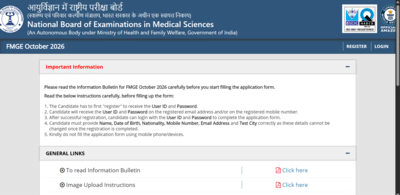
Candidates who have received a notification about deficiencies in their application images can make the required corrections during this period.
The selective edit window allows candidates to correct photographs, signatures and thumb impressions uploaded in their application forms. Candidates should make sure that the revised images meet the specifications prescribed by NBEMS before submitting them.
FMGE October 2026 edit window: Steps to make corrections
Candidates can follow these steps to correct their application images:
1. Visit the official NBEMS website.
2. Open the FMGE October 2026 application link.
3. Log in using the registered credentials.
4. Open the selective edit window for the application.
5. Check the deficient or incorrect image highlighted by NBEMS.
6. Upload the corrected photograph, signature or thumb impression, as applicable.
7. Check the uploaded image carefully and submit the correction.
8. Save or download the confirmation page for future reference.
Direct link here.
Candidates are advised to carefully check all details in their application after making the corrections. The revised images should follow the specifications given by NBEMS.
The FMGE October 2026 selective edit window will remain open until October 19, 2026.
Candidates who have received a notification about deficiencies in their application images can make the required corrections during this period.
The selective edit window allows candidates to correct photographs, signatures and thumb impressions uploaded in their application forms. Candidates should make sure that the revised images meet the specifications prescribed by NBEMS before submitting them.
FMGE October 2026 edit window: Steps to make corrections
Candidates can follow these steps to correct their application images:
1. Visit the official NBEMS website.
2. Open the FMGE October 2026 application link.
3. Log in using the registered credentials.
4. Open the selective edit window for the application.
5. Check the deficient or incorrect image highlighted by NBEMS.
6. Upload the corrected photograph, signature or thumb impression, as applicable.
7. Check the uploaded image carefully and submit the correction.
8. Save or download the confirmation page for future reference.
Direct link here.
Candidates are advised to carefully check all details in their application after making the corrections. The revised images should follow the specifications given by NBEMS.
Next Story