
5 Gaming Keyboards to Upgrade Your Gaming Setup

A good gaming keyboard can make a noticeable difference to your setup, whether you're spending hours playing competitive games, building your first gaming PC or simply want a more responsive keyboard for everyday use.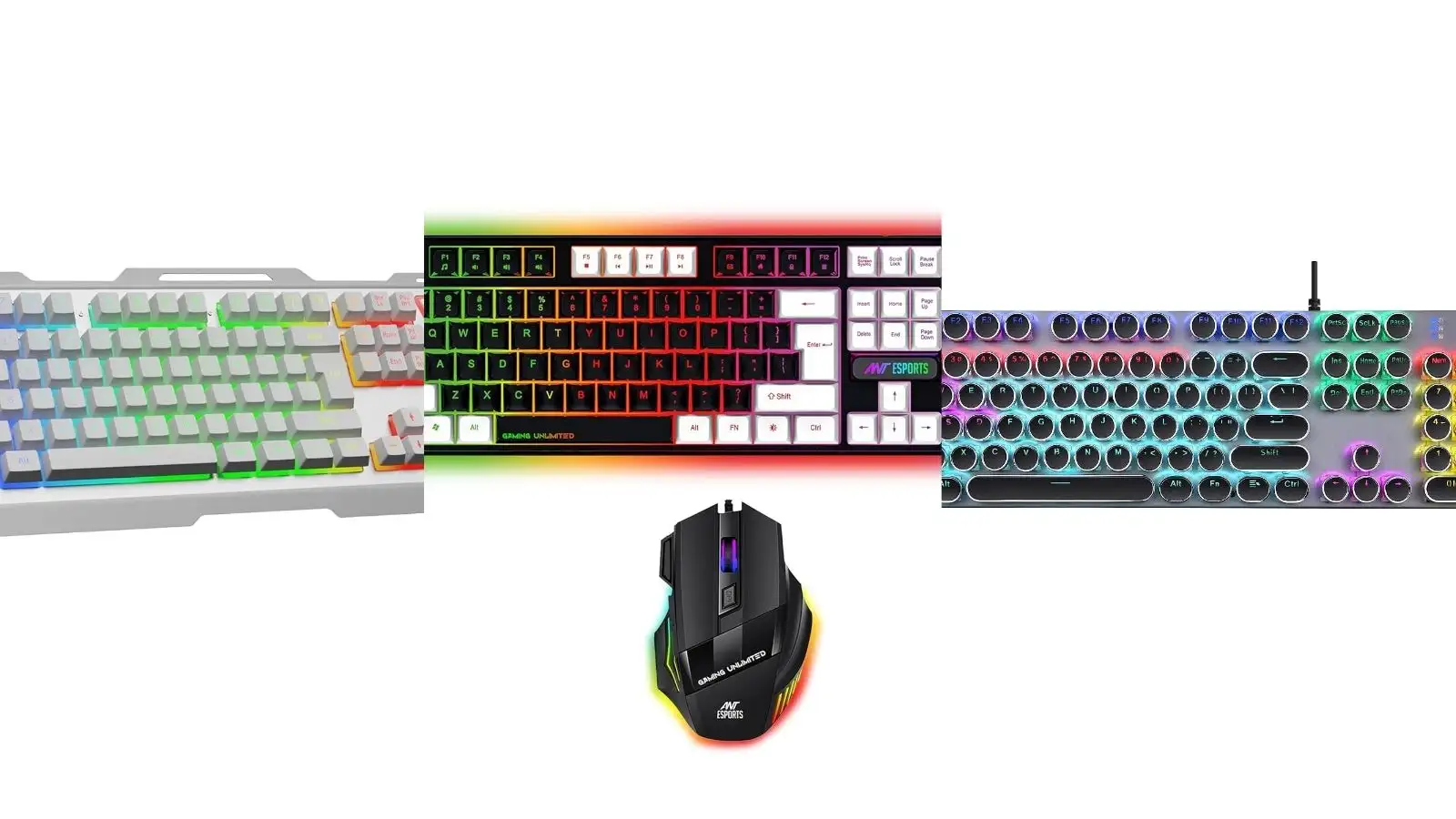
Mechanical switches, RGB lighting, anti-ghosting keys and compact layouts are some of the features gamers often look for. If you also need a mouse, a gaming keyboard and mouse combo can be a convenient way to upgrade your desk without buying both separately.
Here are five options covering mechanical keyboards, wireless combos and budget-friendly gaming setups.
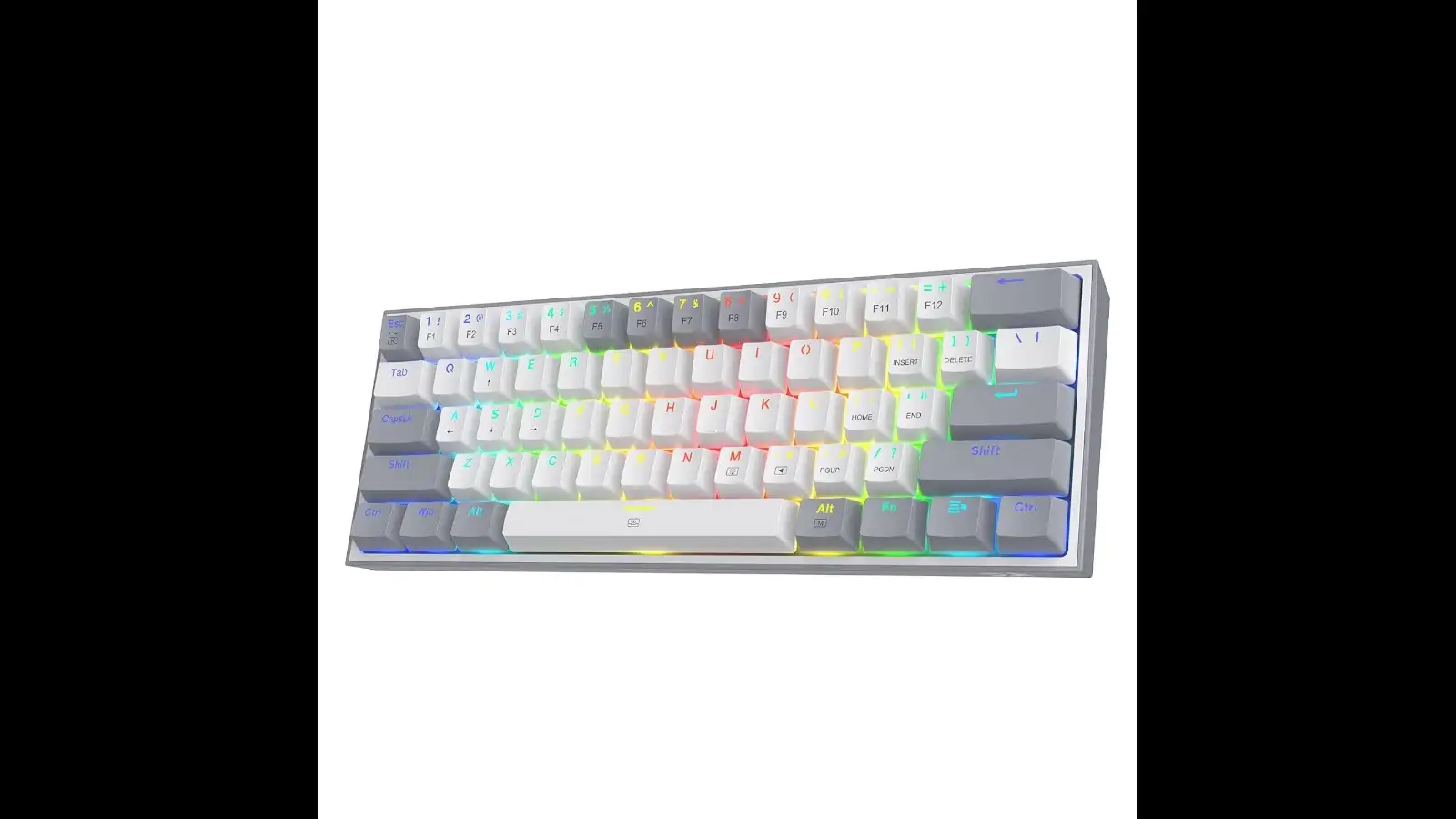 If desk space is a concern, the Redragon K617 Fizz takes a compact approach. Its 60% layout has 61 keys, leaving out the dedicated number pad and several other keys found on full-size keyboards.
It uses linear red mechanical switches and comes with RGB lighting, while its software support allows users to customise certain settings.
Shop Now
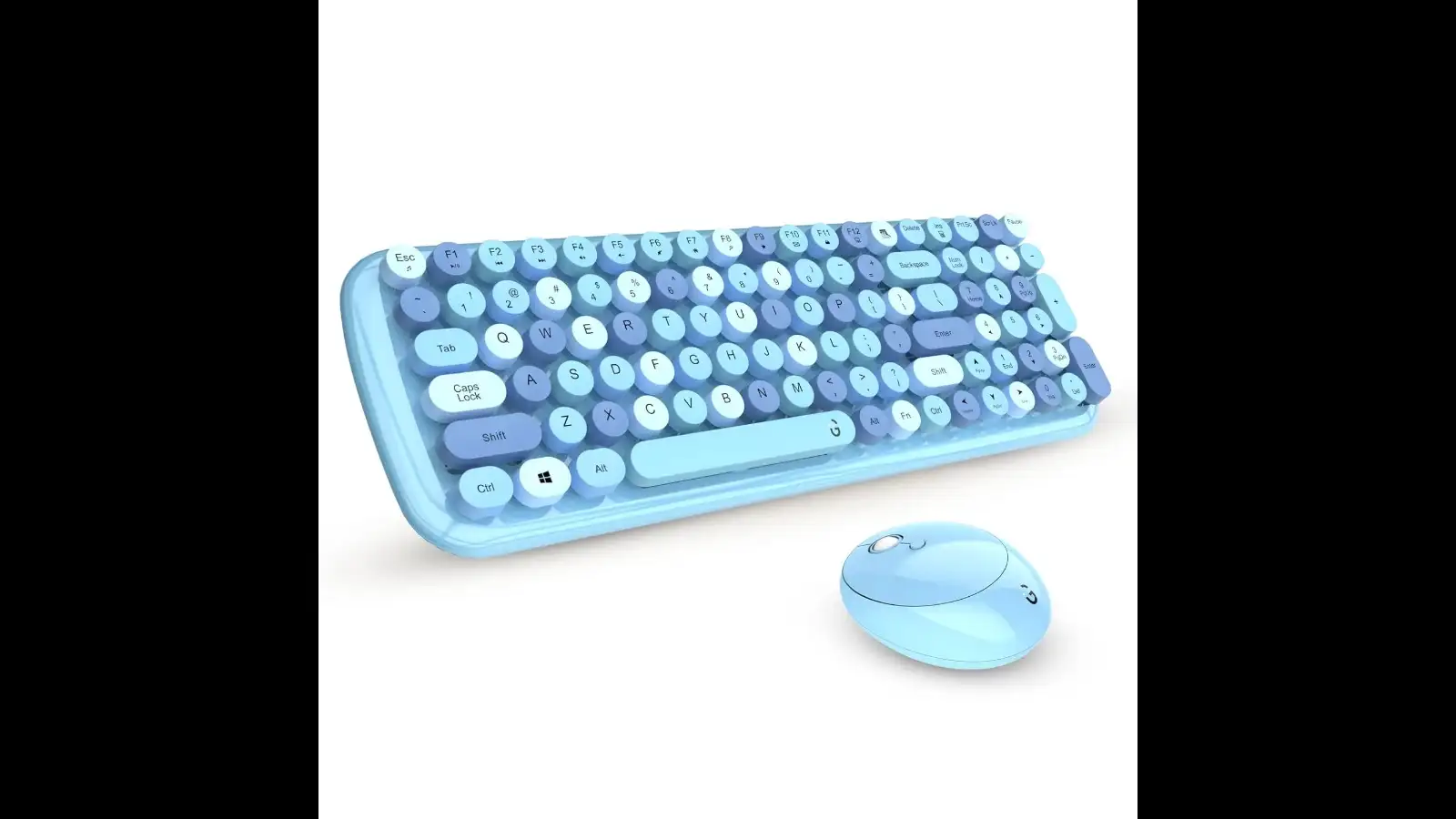 The iGear KeyBee takes a very different direction from conventional gaming keyboards. Inspired by vintage typewriters, it features round keycaps and a distinctive retro appearance.
It connects wirelessly through a 2.4GHz connection and comes with a matching mouse, making it a convenient option if you're looking for a complete keyboard-mouse combo rather than a standalone gaming keyboard.
Shop Now
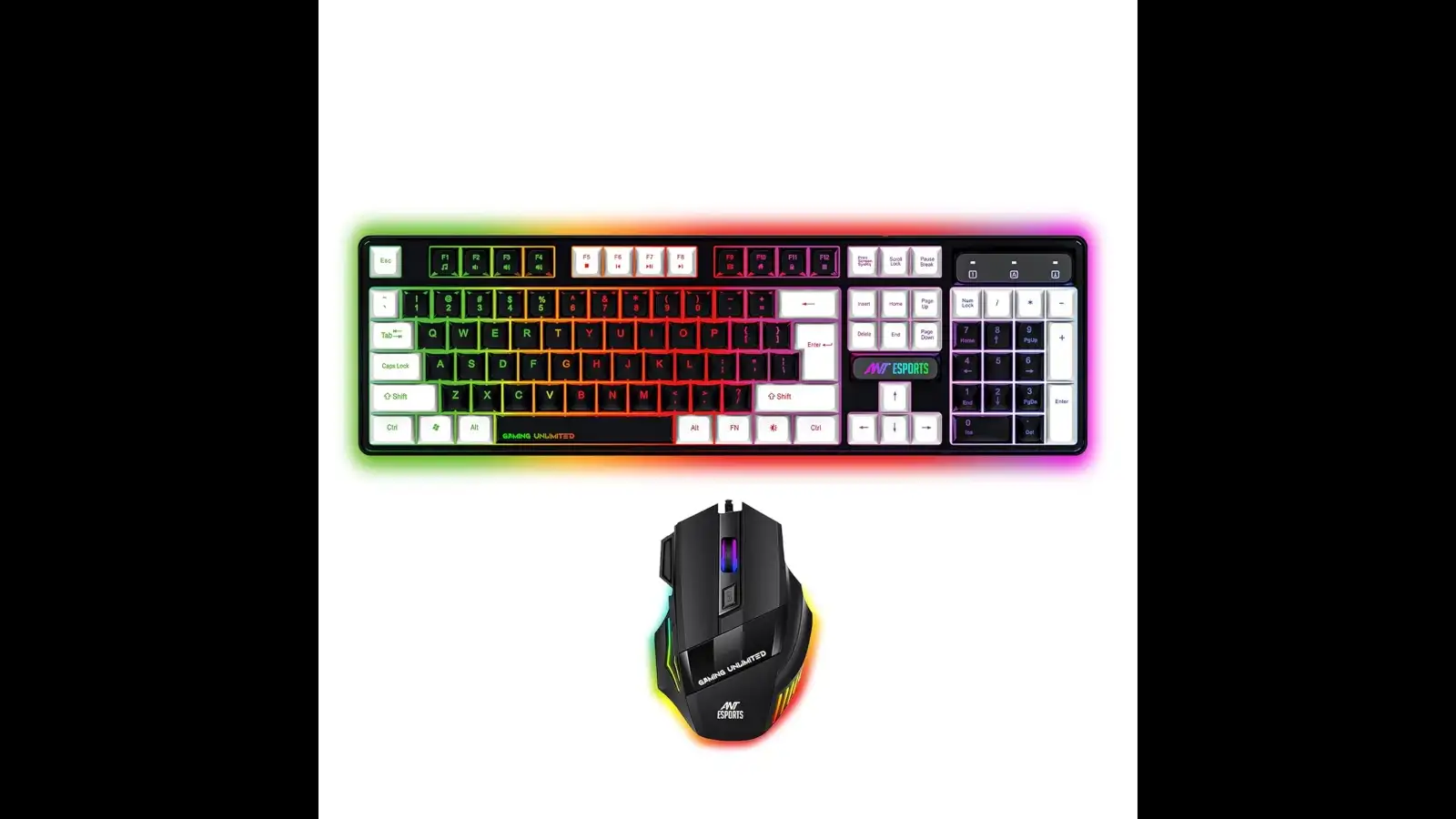 The Ant Esports KM1410 focuses on giving gamers a complete setup at a budget-friendly price. The combo includes a wired keyboard with RGB LED backlighting and a gaming mouse offering up to 3600 DPI.
The keyboard also features anti-ghosting support and a water-resistant membrane design, making it suited to everyday gaming and general PC use.
Shop Now
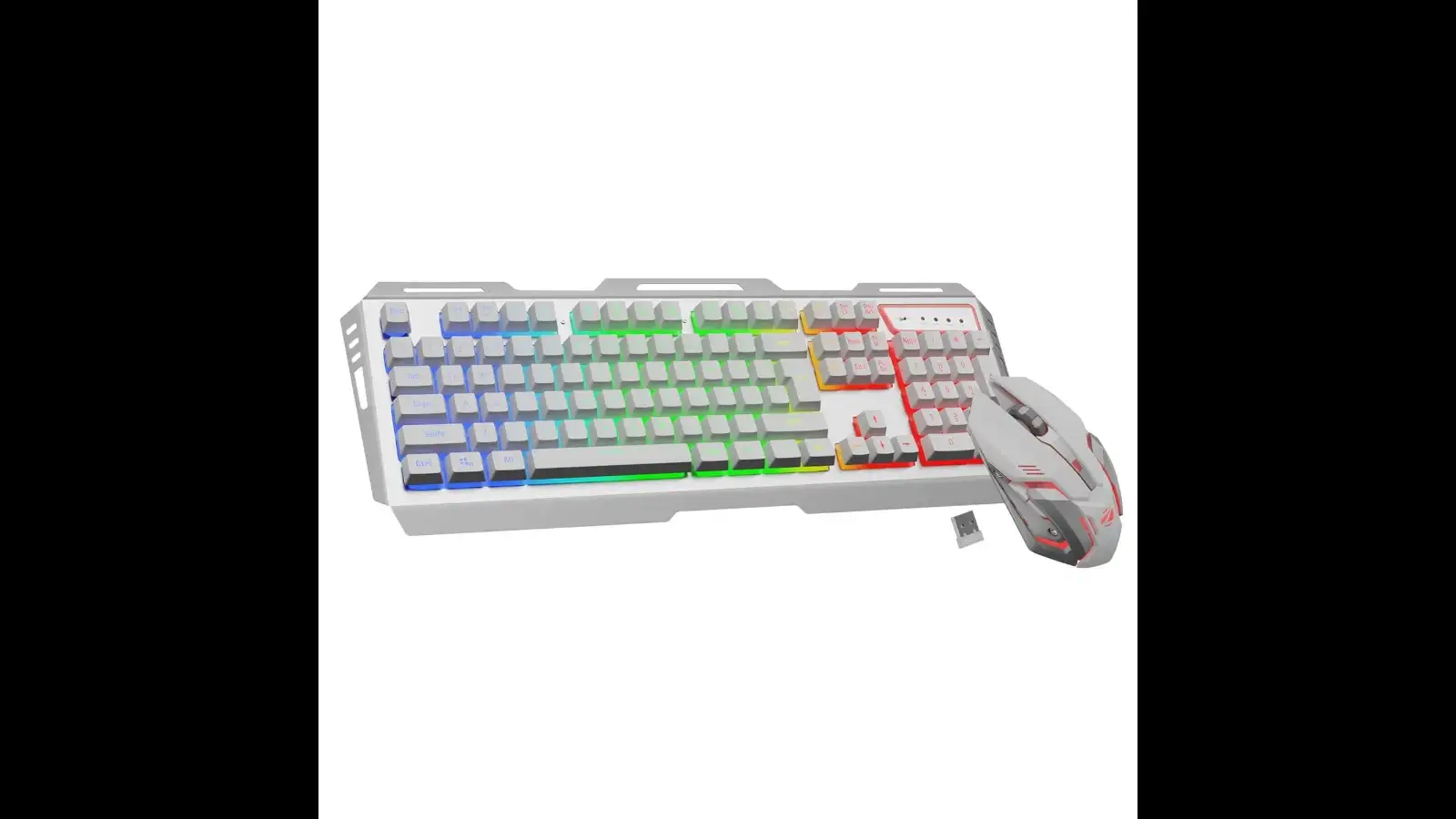
The keyboard features an aluminium body, multicolour LED modes and double-shot keycaps, while the accompanying mouse can reach up to 4000 DPI.
Shop Now
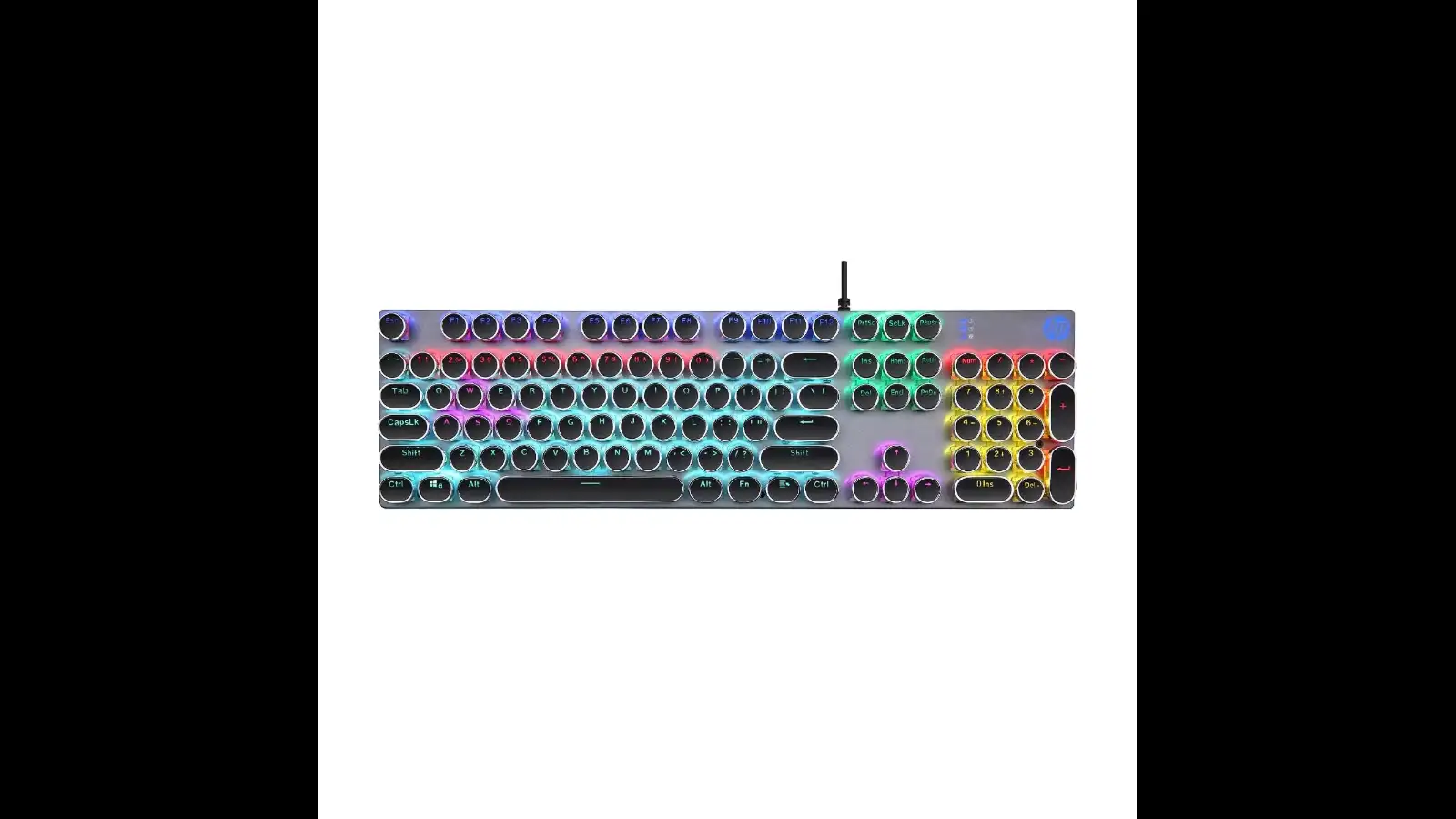 The HP GK400Y is a full-size mechanical gaming keyboard designed for users who prefer having all the standard keys within easy reach.
It features RGB lighting, LightSync backlighting and an auto-sleep mode. Unlike compact 60% keyboards, its full-size layout can be useful if you frequently switch between gaming, typing and everyday desktop work.
Shop Now
Combos are particularly useful for first-time gamers, students and anyone building a basic gaming setup. However, if you already have a good mouse, buying a standalone gaming keyboard may give you more freedom to choose the exact switches, size and features you prefer.
If you're looking for a complete setup, the Ant Esports KM1410 offers a wired keyboard and mouse combination, while the ZEBRONICS Transformer PRO gives you a wireless alternative. For those who prioritise appearance, the iGear KeyBee brings a distinctive retro look to the desk.
Instead of simply searching for the best gaming keyboard, focus on the layout, switches, connectivity and features that fit your gaming style and budget.
The best gaming mouse depends on your preferred grip, sensitivity, weight, connectivity and the types of games you play.
What is the best gaming mouse?
There is no single “best” mouse for everyone; choose one that offers accurate tracking, comfortable ergonomics and responsive controls.
Which mouse is best for FPS?
A lightweight mouse with precise tracking, a responsive sensor and low-latency connectivity is generally best for FPS gaming.
What is the most powerful gaming mouse?
A powerful gaming mouse typically combines a high-performance sensor, fast response, customisable buttons and reliable wireless or wired connectivity.
Mechanical switches, RGB lighting, anti-ghosting keys and compact layouts are some of the features gamers often look for. If you also need a mouse, a gaming keyboard and mouse combo can be a convenient way to upgrade your desk without buying both separately.
Here are five options covering mechanical keyboards, wireless combos and budget-friendly gaming setups.
1. Redragon Fizz
It uses linear red mechanical switches and comes with RGB lighting, while its software support allows users to customise certain settings.
Why It Could Work for Your Setup
The compact 60% layout is the main attraction, particularly for gamers who want more room for mouse movement without giving up mechanical switches.Shop Now
2. iGear KeyBee Retro
It connects wirelessly through a 2.4GHz connection and comes with a matching mouse, making it a convenient option if you're looking for a complete keyboard-mouse combo rather than a standalone gaming keyboard.
Why It Could Work for Your Setup
The retro design and wireless keyboard-mouse combination make it an interesting choice for users who want their desk setup to look as good as it performs.Shop Now
3. Ant Esports
The keyboard also features anti-ghosting support and a water-resistant membrane design, making it suited to everyday gaming and general PC use.
Why It Could Work for Your Setup
If you need both a keyboard and mouse in one purchase, this combo offers a practical way to get started without spending heavily on separate peripherals.Shop Now
4. ZEBRONICS Transformer
The ZEBRONICS Transformer PRO combines a wireless keyboard and mouse with a more feature-focused setup. It uses 2.4GHz wireless connectivity and includes a built-in battery with Type-C charging.The keyboard features an aluminium body, multicolour LED modes and double-shot keycaps, while the accompanying mouse can reach up to 4000 DPI.
Why It Could Work for Your Setup
The wireless design and rechargeable setup help keep the desk less cluttered, while the matching mouse means you don't need to shop for peripherals separately.Shop Now
5. HP Mechanical Gaming Keyboard
It features RGB lighting, LightSync backlighting and an auto-sleep mode. Unlike compact 60% keyboards, its full-size layout can be useful if you frequently switch between gaming, typing and everyday desktop work.
Why It Could Work for Your Setup
The full-size mechanical layout makes it a versatile choice if you want one keyboard for both gaming and regular computer use.Shop Now
Gaming Keyboard vs Regular Keyboard: What's the Difference?
| Feature | Gaming Keyboard | Regular Keyboard |
| Switches | Often uses mechanical switches for a responsive feel | Usually uses membrane switches |
| Anti-Ghosting | Designed to register multiple key presses accurately | May have limited anti-ghosting support |
| RGB Lighting | Commonly includes customisable RGB or LED lighting | Usually has basic or no lighting |
| Response | Built for quick and responsive inputs during gaming | Designed mainly for everyday typing |
| Programmable Controls | Some models offer custom keys or macros | Usually has standard controls |
| Best For | Gaming, streaming and intensive PC use | Browsing, typing, work and everyday tasks |
How to Choose the Best Gaming Keyboard
Before buying the best gaming keyboard option, consider what type of games you play and how you use your PC.- Switch type: Mechanical switches offer a different feel and response compared with membrane keyboards.
- Keyboard size: A 60% keyboard saves desk space, while a full-size model retains the number pad and dedicated keys.
- RGB lighting: Useful if you want to personalise the appearance of your setup.
- Anti-ghosting: Helps register multiple key presses during gameplay.
- Wired vs wireless: Wired models avoid charging, while wireless keyboards provide a cleaner desk setup.
- Software support: Useful for customising lighting, macros and other settings.
- Budget: If you're looking for the best gaming keyboard under ₹2,000, prioritise the features you'll actually use rather than choosing purely based on appearance.
Is a Gaming Keyboard and Mouse Combo Worth Buying?
A gaming keyboard mouse combo can be a sensible option if you're setting up a PC on a budget. Instead of finding two compatible peripherals separately, you get a keyboard and mouse designed to work together.Combos are particularly useful for first-time gamers, students and anyone building a basic gaming setup. However, if you already have a good mouse, buying a standalone gaming keyboard may give you more freedom to choose the exact switches, size and features you prefer.
Which Gaming Keyboard Should You Choose?
The right choice depends on your setup. The Redragon K617 Fizz suits gamers who prefer a compact mechanical keyboard, while the HP GK400Y is better suited to those who want a traditional full-size layout.If you're looking for a complete setup, the Ant Esports KM1410 offers a wired keyboard and mouse combination, while the ZEBRONICS Transformer PRO gives you a wireless alternative. For those who prioritise appearance, the iGear KeyBee brings a distinctive retro look to the desk.
Instead of simply searching for the best gaming keyboard, focus on the layout, switches, connectivity and features that fit your gaming style and budget.
Frequently Asked Questions
What is the best gaming mouse?The best gaming mouse depends on your preferred grip, sensitivity, weight, connectivity and the types of games you play.
What is the best gaming mouse?
There is no single “best” mouse for everyone; choose one that offers accurate tracking, comfortable ergonomics and responsive controls.
Which mouse is best for FPS?
A lightweight mouse with precise tracking, a responsive sensor and low-latency connectivity is generally best for FPS gaming.
What is the most powerful gaming mouse?
A powerful gaming mouse typically combines a high-performance sensor, fast response, customisable buttons and reliable wireless or wired connectivity.
Loving Newspoint? Download the app now
