
iPhone 18 Pro variable aperture: How to change the camera aperture


The 48MP Fusion main camera on the iPhone 18 Pro and 18 Pro Max no longer has a fixed opening. The old f/1.78 lens has been replaced by a mechanical variable aperture that runs from f/1.48 to f/4, and for the first time you can set it yourself instead of letting the phone decide. Apple puts the low-light gain at roughly 50 percent at the wide end.
The control is not on the main camera screen, which is why plenty of people who bought the phone this week still haven't found it. It takes two taps to reach and about ten seconds to understand, and once you know where it lives you can change it mid-shoot without leaving the viewfinder.
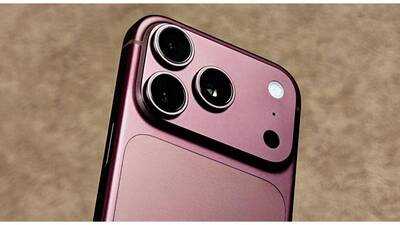
Here are the steps to follow to change the camera aperture from f/1.48 to f/4
Open the Camera app and tap the six-dot button at the bottom right. Select Lens Aperture from the control pane that slides up. Four circles appear, reading left to right as f/1.48, f/1.8, f/2.8 and f/4. Tap the one you want and it stays locked for the next shot. To go back to the phone choosing for you, tap Auto at the left of the same row.
Pick the setting by what you want in focus, not by the number
Use f/1.48 when light is short or when you want the background to melt behind a close subject. Stay at f/1.8 for most everyday shots, since that is where the lens resolves best and where Apple sets the default. Move to f/2.8 for two or three people standing at slightly different distances. Go to f/4 for landscapes, large groups and anything flat, including copying a document, where the corners noticeably firm up.
Sharpness dips a little at both ends, from aberrations at f/1.48 and diffraction at f/4, so there is no reason to sit at an extreme out of habit.
Leave it on Auto when you are shooting fast, lock it when you are shooting video
Auto is the safer choice for street and event shooting, where the scene changes between frames and you cannot keep adjusting. For video it works the other way around. Locking an aperture stops the exposure from shifting mid-clip and gives you room to hold a shutter speed you like.
Start on Auto for a day, then lock one setting and shoot the same scene twice.
The control is not on the main camera screen, which is why plenty of people who bought the phone this week still haven't found it. It takes two taps to reach and about ten seconds to understand, and once you know where it lives you can change it mid-shoot without leaving the viewfinder.
Here are the steps to follow to change the camera aperture from f/1.48 to f/4
Open the Camera app and tap the six-dot button at the bottom right. Select Lens Aperture from the control pane that slides up. Four circles appear, reading left to right as f/1.48, f/1.8, f/2.8 and f/4. Tap the one you want and it stays locked for the next shot. To go back to the phone choosing for you, tap Auto at the left of the same row.
Pick the setting by what you want in focus, not by the number
Use f/1.48 when light is short or when you want the background to melt behind a close subject. Stay at f/1.8 for most everyday shots, since that is where the lens resolves best and where Apple sets the default. Move to f/2.8 for two or three people standing at slightly different distances. Go to f/4 for landscapes, large groups and anything flat, including copying a document, where the corners noticeably firm up.
Sharpness dips a little at both ends, from aberrations at f/1.48 and diffraction at f/4, so there is no reason to sit at an extreme out of habit.
Leave it on Auto when you are shooting fast, lock it when you are shooting video
Auto is the safer choice for street and event shooting, where the scene changes between frames and you cannot keep adjusting. For video it works the other way around. Locking an aperture stops the exposure from shifting mid-clip and gives you room to hold a shutter speed you like.
Start on Auto for a day, then lock one setting and shoot the same scene twice.
Next Story