
How to Port Your SIM From Jio to Airtel or Vi Without Changing Your Number


Switching mobile operators does not mean you have to give up your existing phone number. If you are unhappy with Jio's network coverage, call quality, data speeds or recharge plans, you can move to Airtel or Vodafone Idea (Vi) through India's Mobile Number Portability (MNP) system. The process allows you to retain your 10-digit mobile number while changing your telecom provider. You can initiate the request by sending an SMS from your existing Jio number, obtaining a Unique Porting Code (UPC) and completing the required verification with your new operator.
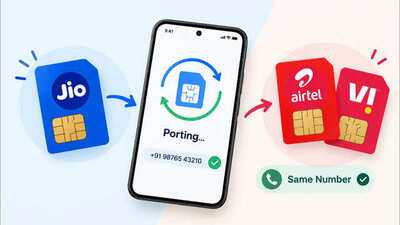
However, there are a few conditions to check before starting. Your number generally needs to have been active on the existing network for at least 90 days, and postpaid users must clear their outstanding bills. You will also need to complete the new operator's KYC process and obtain a replacement SIM. Here is a step-by-step guide to porting your Jio number to Airtel or Vi, including eligibility requirements, processing time, charges and what happens during the switch.
Quick Summary: The 5 Steps
Insert the new SIM. Once the port completes, your number will work on the new network. What is mobile number portability?Mobile Number Portability allows you to switch from one telecom operator to another without changing your mobile number. For example, if your current number is with Jio, you can move it to Airtel or Vi and continue using the same number for calls, messages, banking alerts and other services. The facility is regulated by the Telecom Regulatory Authority of India (TRAI). You do not need to cancel your existing number and apply for an entirely new one. Instead, you submit a porting request to your chosen operator, which coordinates the transfer. The process applies to eligible prepaid and postpaid connections. However, you must meet the applicable eligibility conditions before your request can proceed.
Who can port a Jio SIM to Airtel or Vi?Before requesting a port, check the following eligibility requirements.
How to port your Jio SIM to Airtel or ViFollow these steps to move your existing mobile number to either operator.
Step 1: Generate your Unique Porting CodeThe first step is to request a UPC from your current Jio number. Open your phone's messaging app and create a new SMS. Type the word PORT, followed by a space and your 10-digit mobile number.
Use this format: PORT 9876543210
Replace the example number with your own mobile number and send the message to 1900. You should receive your Unique Porting Code through an SMS from 1901. Keep the code available because you will need it when submitting your request to Airtel or Vi.
Step 2: Check the UPC's validityYour UPC is generally valid for four days, excluding the day on which it is generated. In Jammu and Kashmir, Assam and the North East service areas, it remains valid for 30 days. Do not wait until the code expires before visiting the new operator or completing the online process. If it expires, you may need to generate another code.
Step 3: Choose Airtel or Vi
Step 4: Complete KYC and submit the porting requestProvide your valid UPC to the new operator and complete its customer acquisition and porting forms. You will need to complete the required identity and address verification. Keep valid proof of identity and proof of address available, as the documents accepted may depend on the operator's verification process. After submitting the forms and any applicable payment, you will receive confirmation that the porting request has been registered. The confirmation should also explain the available window for withdrawing the request. Keep the new SIM safely until the transfer is complete. Do not discard your existing Jio SIM before the scheduled switch.
Step 5: Wait for the porting request to be processedAfter the new operator accepts your request, the transfer will be scheduled. According to TRAI, the usual processing timelines are
These are regulatory timelines, not guaranteed activation times for every individual request. You should receive SMS updates about the status and scheduled transfer.
Step 6: Insert the new SIM and activate your numberYour existing Jio SIM will stop working when the transfer takes place. The final switch generally happens during the night, and TRAI allows for a service interruption of up to four hours during the process. Once the port is complete, insert your new Airtel or Vi SIM into your phone and follow any activation or verification instructions provided by the operator. Your existing mobile number will remain the same. However, the network providing your mobile service will change from Jio to the new operator.
How much does it cost to port a Jio SIM to Airtel or Vi?TRAI's published FAQ lists a porting charge of ₹6.46 per request if the receiving operator levies the charge. The final amount you pay may also depend on the new connection or plan you select, so confirm the applicable charges before submitting your request.
There is another important detail for prepaid users. Any unused balance remaining on your Jio prepaid account will lapse after porting. For postpaid users, outstanding dues must be cleared before the transfer can proceed, and eligible refundable deposits are handled under the applicable rules.
Withdrawing a RequestChanged your mind? You have 24 hours after the request is confirmed. Send CANCEL followed by a space and your 10-digit number as an SMS to 1900. Porting charges that you have already paid are not refunded.
Before You Port: A Short ChecklistInsert the new SIM when your old one stops working, and restart the phone. Test calls, SMS and mobile data. Check OTPs. Make sure bank and UPI messages arrive. Check your UPI and banking apps. You may need to verify the SIM again, since these apps check the number on your phone. Recharge or confirm your plan if the plan you chose did not activate. Update the number's operator in any linked accounts if an app asks for it. Common Problems and How to Fix Them
Stay Safe: Porting Scams to Watch For
However, there are a few conditions to check before starting. Your number generally needs to have been active on the existing network for at least 90 days, and postpaid users must clear their outstanding bills. You will also need to complete the new operator's KYC process and obtain a replacement SIM. Here is a step-by-step guide to porting your Jio number to Airtel or Vi, including eligibility requirements, processing time, charges and what happens during the switch.
Quick Summary: The 5 Steps
- Check eligibility. Your number should be at least 90 days old on Jio, with no dues and no SIM replacement in the last 7 days.
- Get your UPC. SMS PORT followed by a space and your 10-digit number, to 1900.
- Apply at Airtel or Vi. Use the code online, in a store, or through doorstep delivery, and complete KYC.
- Wait for the port date. You will get an SMS with the date and time. Keep your Jio SIM active until then.
Who can port a Jio SIM to Airtel or Vi?Before requesting a port, check the following eligibility requirements.
| Requirement | What you need to know |
| 90-day rule | Number have been on the current operator's network for at least 90 days. |
| Postpaid bills | Clear outstanding dues with Jio before requesting the UPC. |
| Recent SIM replacement | At least seven days must have passed since a SIM swap or replacement. |
| Ownership | A change-of-ownership request must not be in progress. |
| Contractual obligations | Any applicable outstanding contractual obligations under the existing subscriber agreement must be fulfilled. |
| Legal restrictions | The number must not be subject to relevant court restrictions or pending legal proceedings that prevent porting. |
Step 1: Generate your Unique Porting CodeThe first step is to request a UPC from your current Jio number. Open your phone's messaging app and create a new SMS. Type the word PORT, followed by a space and your 10-digit mobile number.
Use this format: PORT 9876543210
Replace the example number with your own mobile number and send the message to 1900. You should receive your Unique Porting Code through an SMS from 1901. Keep the code available because you will need it when submitting your request to Airtel or Vi.
Step 2: Check the UPC's validityYour UPC is generally valid for four days, excluding the day on which it is generated. In Jammu and Kashmir, Assam and the North East service areas, it remains valid for 30 days. Do not wait until the code expires before visiting the new operator or completing the online process. If it expires, you may need to generate another code.
Step 3: Choose Airtel or Vi
- To port your number to Airtel, visit theofficial Airtel porting page. Airtel offers an online process that lets eligible users select a plan and arrange SIM delivery and KYC verification. You can also visit an Airtel store.
- To switch to Vi, visit theofficial Vi porting pageofficial Vi porting page. You can initiate the process online or visit a Vi store to complete the required formalities.
Step 4: Complete KYC and submit the porting requestProvide your valid UPC to the new operator and complete its customer acquisition and porting forms. You will need to complete the required identity and address verification. Keep valid proof of identity and proof of address available, as the documents accepted may depend on the operator's verification process. After submitting the forms and any applicable payment, you will receive confirmation that the porting request has been registered. The confirmation should also explain the available window for withdrawing the request. Keep the new SIM safely until the transfer is complete. Do not discard your existing Jio SIM before the scheduled switch.
Step 5: Wait for the porting request to be processedAfter the new operator accepts your request, the transfer will be scheduled. According to TRAI, the usual processing timelines are
| Porting situation | Expected time |
| Within the same telecom service area | Three working days |
| Between different telecom service areas | Five working days |
| Jammu and Kashmir, Assam and North East service areas | Up to 15 working days |
Step 6: Insert the new SIM and activate your number
How much does it cost to port a Jio SIM to Airtel or Vi?TRAI's published FAQ lists a porting charge of ₹6.46 per request if the receiving operator levies the charge. The final amount you pay may also depend on the new connection or plan you select, so confirm the applicable charges before submitting your request.
There is another important detail for prepaid users. Any unused balance remaining on your Jio prepaid account will lapse after porting. For postpaid users, outstanding dues must be cleared before the transfer can proceed, and eligible refundable deposits are handled under the applicable rules.
Withdrawing a RequestChanged your mind? You have 24 hours after the request is confirmed. Send CANCEL followed by a space and your 10-digit number as an SMS to 1900. Porting charges that you have already paid are not refunded.
Before You Port: A Short Checklist
- Make sure your Jio number is in your own name, because KYC must match.
- Clear any dues, even small ones.
- Make sure you have used the current SIM for at least 90 days.
- Check coverage at your home and workplace with the new operator, and ask friends who use it.
- Compare plan prices, data, validity and any bundled apps, not just the offer for new customers.
- Back up your contacts and messages.
- Keep your Jio SIM in the phone until the port goes through.
- Keep a second way to receive OTPs for banking and UPI apps during the switch.
| Problem | Likely cause | What to do |
| You get no UPC | One of the eligibility checks failed | Read the rejection SMS and fix the reason, such as due to a recent SIM replacement |
| Request rejected by the new operator | Wrong, expired or mistyped UPC | Generate a new code and enter it carefully |
| Name mismatch | The number is registered to someone else | Ask the registered owner to port, or complete a change of ownership first |
| The port date has passed and nothing happened | A delay at either operator | Contact the new operator with your request details, then use the grievance process of both operators |
| No network after the port | SIM not activated or settings issue | Restart the phone, check the SIM slot and contact the new operator |
- Do not share your UPC with callers. Only give it to Airtel or Vi when you apply.
- Beware of "KYC update" calls that ask for OTPs or push you to port.
- Be wary of unexpected SIM replacement requests. TRAI's 7-day rule exists because fraudsters use SIM swaps to take over numbers.
- Use official channels such as the operator's website, app or store.
- Report suspicious activity to your operator and, for fraud, the cyber fraud helpline 1930.
Next Story