
How to Verify Aadhaar Offline Without Internet: Easy Step-by-Step Guide

The Aadhaar card has become one of the most important identity documents in India. Whether you are opening a bank account, buying a SIM card, checking into a hotel, registering at a hospital, or accessing government benefits, Aadhaar is widely accepted for identity verification.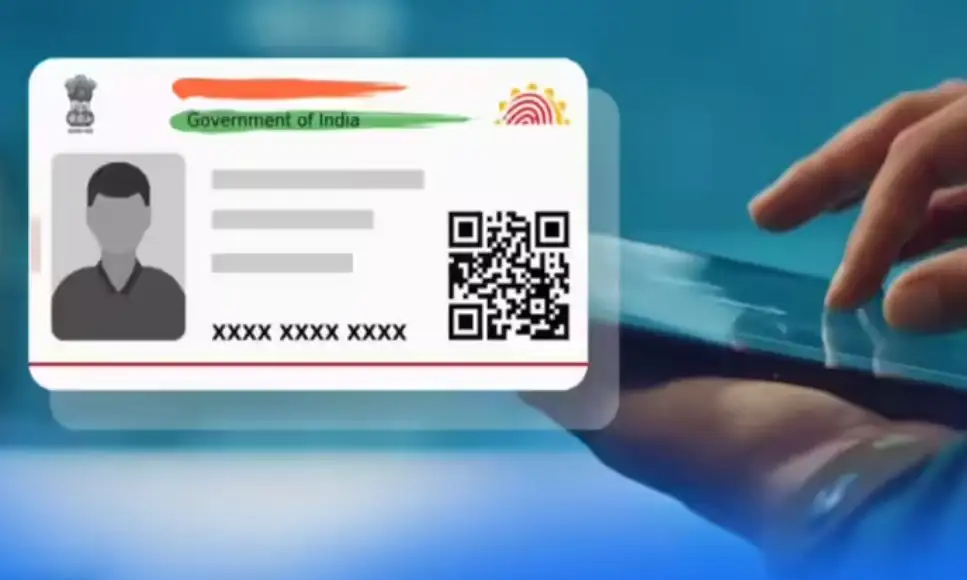
To make this process more secure and privacy-friendly, the Unique Identification Authority of India (UIDAI) introduced Aadhaar Offline Verification . This system allows users to verify their identity without sharing unnecessary personal details or handing over photocopies of their Aadhaar card.
What Is Aadhaar Offline Verification?
Aadhaar Offline Verification is a secure identity verification system developed by UIDAI. It enables organisations to verify your identity without accessing the internet during the verification process.
Unlike traditional Aadhaar verification, only the information required for a specific service is shared. Your complete Aadhaar details remain protected, and the process works only after you give your consent.
Why Did UIDAI Introduce This Facility?
Earlier, people were often asked to submit photocopies of their Aadhaar card for various services. This increased the risk of personal information being misused or stored unnecessarily.
To improve privacy and reduce paperwork, UIDAI launched Aadhaar Offline Verification. It allows organisations to confirm a person's identity while keeping sensitive information secure.
How Does Aadhaar Offline Verification Work?
The verification process is simple and user-controlled.
When an organisation needs to verify your identity, you can share the required details through the official Aadhaar App or other UIDAI-approved methods. The organisation receives only the information needed for verification instead of your complete Aadhaar record.
Two Ways to Verify Aadhaar Offline
UIDAI currently offers two secure methods for offline verification:
1. Secure QR Code
The Aadhaar App contains a Secure QR Code. The service provider scans the code to verify your identity digitally. The process is completed within seconds without exposing unnecessary personal details.
2. Paperless Offline e-KYC
Users can generate a digitally signed XML file through UIDAI and share it with the service provider. The organisation verifies the file to confirm the user's identity without requiring an internet connection during verification.
Is Internet Required?
The identity verification itself is carried out offline, which is the biggest advantage of this system.
However, you may need an internet connection initially to download the Aadhaar App, generate the XML file, or update the application when required.
What Is the Aadhaar App?
The Aadhaar App is UIDAI's official mobile application that offers several Aadhaar-related services in one place. Users can view their Aadhaar profile, access the Secure QR Code, generate offline verification details, and use various Aadhaar services directly from their smartphones.
How to Install the Aadhaar App
Setting up the Aadhaar App is easy:
Is Aadhaar Offline Verification Safe?
Yes. UIDAI has designed the system with strong privacy and security measures.
Some of its key security features include:
What Is an OVSE?
An Offline Verification Seeking Entity (OVSE) is an organisation authorised by UIDAI to use Aadhaar Offline Verification.
Banks, government departments, hospitals, fintech companies, educational institutions, hotels, and other eligible organisations can register as OVSEs after meeting UIDAI's requirements. More than 100 organisations are already registered, and the number continues to grow.
Can Any Organisation Become an OVSE?
Yes. Organisations that meet UIDAI's eligibility criteria and complete the registration process can become authorised OVSEs and offer Aadhaar Offline Verification services while following UIDAI guidelines.
Where Is Aadhaar Offline Verification Used?
The service is being adopted across multiple sectors, including:
Aadhaar Offline Verification offers a safer and more privacy-focused way to verify your identity. Instead of submitting Aadhaar photocopies, users can securely share only the information required for a particular service with their consent. With features like Secure QR Code and Paperless Offline e-KYC, the system makes identity verification faster, more secure, and better suited for India's growing digital ecosystem.
To make this process more secure and privacy-friendly, the Unique Identification Authority of India (UIDAI) introduced Aadhaar Offline Verification . This system allows users to verify their identity without sharing unnecessary personal details or handing over photocopies of their Aadhaar card.
What Is Aadhaar Offline Verification?
Aadhaar Offline Verification is a secure identity verification system developed by UIDAI. It enables organisations to verify your identity without accessing the internet during the verification process.Unlike traditional Aadhaar verification, only the information required for a specific service is shared. Your complete Aadhaar details remain protected, and the process works only after you give your consent.
Why Did UIDAI Introduce This Facility?
Earlier, people were often asked to submit photocopies of their Aadhaar card for various services. This increased the risk of personal information being misused or stored unnecessarily.To improve privacy and reduce paperwork, UIDAI launched Aadhaar Offline Verification. It allows organisations to confirm a person's identity while keeping sensitive information secure.
How Does Aadhaar Offline Verification Work?
The verification process is simple and user-controlled. When an organisation needs to verify your identity, you can share the required details through the official Aadhaar App or other UIDAI-approved methods. The organisation receives only the information needed for verification instead of your complete Aadhaar record.
Two Ways to Verify Aadhaar Offline
UIDAI currently offers two secure methods for offline verification:1. Secure QR Code
The Aadhaar App contains a Secure QR Code. The service provider scans the code to verify your identity digitally. The process is completed within seconds without exposing unnecessary personal details. 2. Paperless Offline e-KYC
Users can generate a digitally signed XML file through UIDAI and share it with the service provider. The organisation verifies the file to confirm the user's identity without requiring an internet connection during verification. Is Internet Required?
The identity verification itself is carried out offline, which is the biggest advantage of this system. However, you may need an internet connection initially to download the Aadhaar App, generate the XML file, or update the application when required.
What Is the Aadhaar App?
The Aadhaar App is UIDAI's official mobile application that offers several Aadhaar-related services in one place. Users can view their Aadhaar profile, access the Secure QR Code, generate offline verification details, and use various Aadhaar services directly from their smartphones.You may also like
- E20 petrol may reduce mileage in some older vehicles, no evidence of engine damage: Govt
- Is govt increasing minimum EPS pension to Rs 7.500?
- Adani Power Q1: Net profit surges 42% YoY to Rs 4,806 crore
- Singapore Airlines sees loss-making partner Air India on road to recovery
- WATCH: Pune Cab Driver Asks Three Women To 'Adjust' For His Friend Mid-Ride; When They Refuse, He Tells Them To 'Book Another Cab'
How to Install the Aadhaar App
Setting up the Aadhaar App is easy: - Download the official UIDAI Aadhaar App from your phone's app store.
- Install the application.
- Grant the required permissions.
- Complete identity verification.
- Start using Aadhaar services, including offline verification.
Is Aadhaar Offline Verification Safe?
Yes. UIDAI has designed the system with strong privacy and security measures. Some of its key security features include:
- User consent before sharing information
- Digitally signed verification data
- Limited sharing of personal details
- Secure QR Code technology
- Verification of data authenticity
What Is an OVSE?
An Offline Verification Seeking Entity (OVSE) is an organisation authorised by UIDAI to use Aadhaar Offline Verification. Banks, government departments, hospitals, fintech companies, educational institutions, hotels, and other eligible organisations can register as OVSEs after meeting UIDAI's requirements. More than 100 organisations are already registered, and the number continues to grow.
Can Any Organisation Become an OVSE?
Yes. Organisations that meet UIDAI's eligibility criteria and complete the registration process can become authorised OVSEs and offer Aadhaar Offline Verification services while following UIDAI guidelines. Where Is Aadhaar Offline Verification Used?
The service is being adopted across multiple sectors, including: - Banking and financial services
- Government departments
- Hospitals and healthcare
- Hotels and hospitality
- Travel services
- Educational institutions
- Rental verification
- Fintech and digital payment platforms
Aadhaar Offline Verification offers a safer and more privacy-focused way to verify your identity. Instead of submitting Aadhaar photocopies, users can securely share only the information required for a particular service with their consent. With features like Secure QR Code and Paperless Offline e-KYC, the system makes identity verification faster, more secure, and better suited for India's growing digital ecosystem.






Loving Newspoint? Download the app now
