
How To Book A Confirmed Train Ticket Online Without Taking Help From Agents

Booking a confirmed train ticket remains a challenge for many railway passengers, particularly during holidays, festival seasons and Tatkal booking hours. Due to high demand and limited availability, several travellers turn to ticket agents and end up paying additional charges just to secure a seat.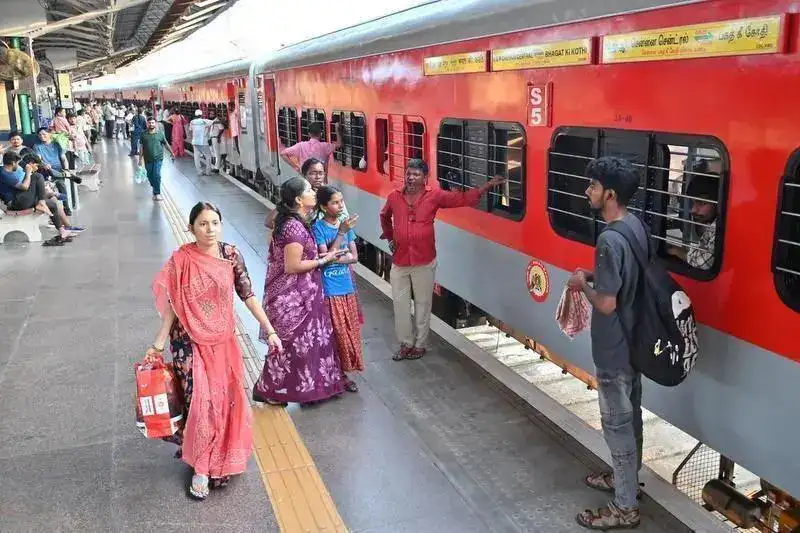
However, experienced passengers and railway users believe there is a simpler way to improve the chances of getting confirmed tickets without paying extra money to agents. The IRCTC Master List facility allows passengers to complete important details in advance, helping reduce booking time significantly during ticket reservations.
The Master List feature is designed to solve this issue by storing passenger information beforehand. Once the details are saved, users can directly select passenger names during the booking process instead of typing everything repeatedly.
This reduces delays and helps travellers complete bookings much faster, especially during high-traffic Tatkal sessions.
Passengers can add names, age details, gender, berth preference and identification information into the system. Once saved, these details can be selected instantly while booking train tickets.
Railway travellers who regularly book tickets for family members often use this feature to simplify the booking process.
The process begins by logging into the IRCTC account using the registered User ID and password. After logging in, users need to visit the ‘My Account’ section and select ‘My Profile’.
Within the profile section, the option ‘Add or Modify Master List’ becomes available. Users can then enter passenger details such as name, date of birth, gender and travel category.
Once the information is filled in and submitted, the passenger details get stored within the account. Multiple passengers can be added to the list for future bookings.
During ticket reservations, users only need to select passenger names directly from the saved list, saving considerable time.
Tatkal booking opens one day before the travel date for selected trains. Booking for AC classes including 2AC, 3AC, Chair Car, Executive Class and 3E generally starts at 10:00 AM.
For Sleeper, Second Sitting and other non-AC categories, booking begins at 11:00 AM.
Since Tatkal tickets sell out within minutes on busy routes, faster booking completion increases the possibility of securing confirmed seats.
Passengers can book Tatkal tickets through the IRCTC website, the Rail Connect mobile application and selected digital payment platforms.
Experts recommend keeping login credentials ready, ensuring strong internet connectivity and preparing passenger details in advance to avoid delays during peak booking periods.
Regular train travellers believe understanding IRCTC tools and booking timings can make the reservation process much smoother and more cost-effective.
With online ticket demand continuing to rise, small time-saving measures can often become the deciding factor between a confirmed seat and a waiting list ticket.
Disclaimer: This article is intended for informational purposes only. Ticket availability depends on railway quotas, booking demand and IRCTC system conditions. Passengers are advised to verify booking timings and rules through official railway platforms before making reservations.
However, experienced passengers and railway users believe there is a simpler way to improve the chances of getting confirmed tickets without paying extra money to agents. The IRCTC Master List facility allows passengers to complete important details in advance, helping reduce booking time significantly during ticket reservations.
Why Fast Booking Matters For Confirmed Tickets
During Tatkal booking windows, even a few seconds can make a major difference. Many passengers lose confirmed seats because they spend too much time entering names, age, gender and identification details while booking tickets online.The Master List feature is designed to solve this issue by storing passenger information beforehand. Once the details are saved, users can directly select passenger names during the booking process instead of typing everything repeatedly.
This reduces delays and helps travellers complete bookings much faster, especially during high-traffic Tatkal sessions.
What Is The IRCTC Master List Feature?
The Master List is an inbuilt facility available on the IRCTC website and mobile application. It allows users to save passenger details permanently within their account for future ticket bookings.Passengers can add names, age details, gender, berth preference and identification information into the system. Once saved, these details can be selected instantly while booking train tickets.
Railway travellers who regularly book tickets for family members often use this feature to simplify the booking process.
How To Create A Master List On IRCTC
Passengers can create the Master List through the official IRCTC website or the Rail Connect application.The process begins by logging into the IRCTC account using the registered User ID and password. After logging in, users need to visit the ‘My Account’ section and select ‘My Profile’.
Within the profile section, the option ‘Add or Modify Master List’ becomes available. Users can then enter passenger details such as name, date of birth, gender and travel category.
Once the information is filled in and submitted, the passenger details get stored within the account. Multiple passengers can be added to the list for future bookings.
During ticket reservations, users only need to select passenger names directly from the saved list, saving considerable time.
Useful During Tatkal Ticket Booking
The Master List feature becomes particularly valuable during Tatkal bookings, where speed plays a critical role.Tatkal booking opens one day before the travel date for selected trains. Booking for AC classes including 2AC, 3AC, Chair Car, Executive Class and 3E generally starts at 10:00 AM.
For Sleeper, Second Sitting and other non-AC categories, booking begins at 11:00 AM.
Since Tatkal tickets sell out within minutes on busy routes, faster booking completion increases the possibility of securing confirmed seats.
Tatkal Booking Available Across Multiple Classes
Railway passengers can use Tatkal booking for several travel categories, including Sleeper, 3AC, 2AC and Executive Class. Although Tatkal fares include additional charges above normal ticket prices, many travellers prefer the facility for urgent travel requirements.Passengers can book Tatkal tickets through the IRCTC website, the Rail Connect mobile application and selected digital payment platforms.
Experts recommend keeping login credentials ready, ensuring strong internet connectivity and preparing passenger details in advance to avoid delays during peak booking periods.
Travellers Can Reduce Dependence On Agents
Many passengers approach ticket agents because they believe agents can secure confirmed tickets more efficiently. However, using the Master List feature and preparing in advance can help users complete bookings independently without paying extra service charges.Regular train travellers believe understanding IRCTC tools and booking timings can make the reservation process much smoother and more cost-effective.
With online ticket demand continuing to rise, small time-saving measures can often become the deciding factor between a confirmed seat and a waiting list ticket.
Disclaimer: This article is intended for informational purposes only. Ticket availability depends on railway quotas, booking demand and IRCTC system conditions. Passengers are advised to verify booking timings and rules through official railway platforms before making reservations.
Next Story