
5 Best Wireless Headphones for Everyday Listening

Wireless headphones have become an easy everyday essential. Whether you're listening to music during your commute, taking calls while working or watching something on a long journey, going cordless makes things simpler.
But the best Bluetooth headphones for you depend on how you plan to use them. Some listeners may want powerful bass, while others may prioritise active noise cancellation (ANC), long battery life, quick charging or multipoint connectivity.
Here are five options that offer different combinations of features.

The Noise Airwave Max XR is aimed at listeners who don't want to keep reaching for their charger. Its headline feature is up to 120 hours of playback, making it particularly interesting for frequent travellers and people who listen for several hours each day.
It also includes ANC, spatial audio, dual pairing and Bluetooth 6.0. The over-ear format makes it a natural fit for longer listening sessions.
Shop Now
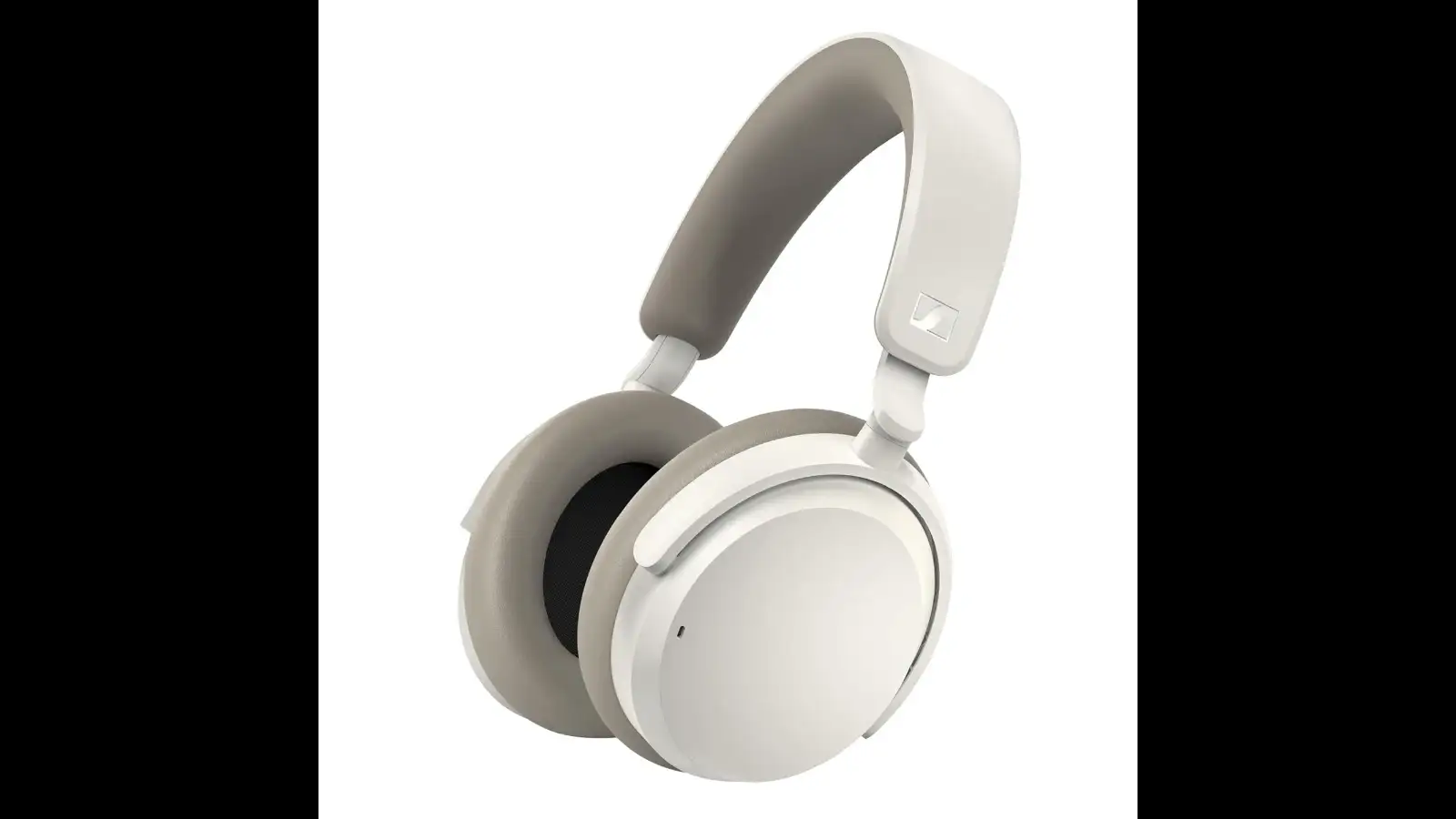
The Sennheiser ACCENTUM Wireless brings together hybrid ANC, up to 50 hours of battery life and multipoint connectivity. That last feature can be especially useful if you regularly move between your phone and laptop.
It also supports quick charging, with a 10-minute charge providing up to five hours of playback. For people who often realise their headphones need charging just before leaving home, that's a useful addition.
Shop Now
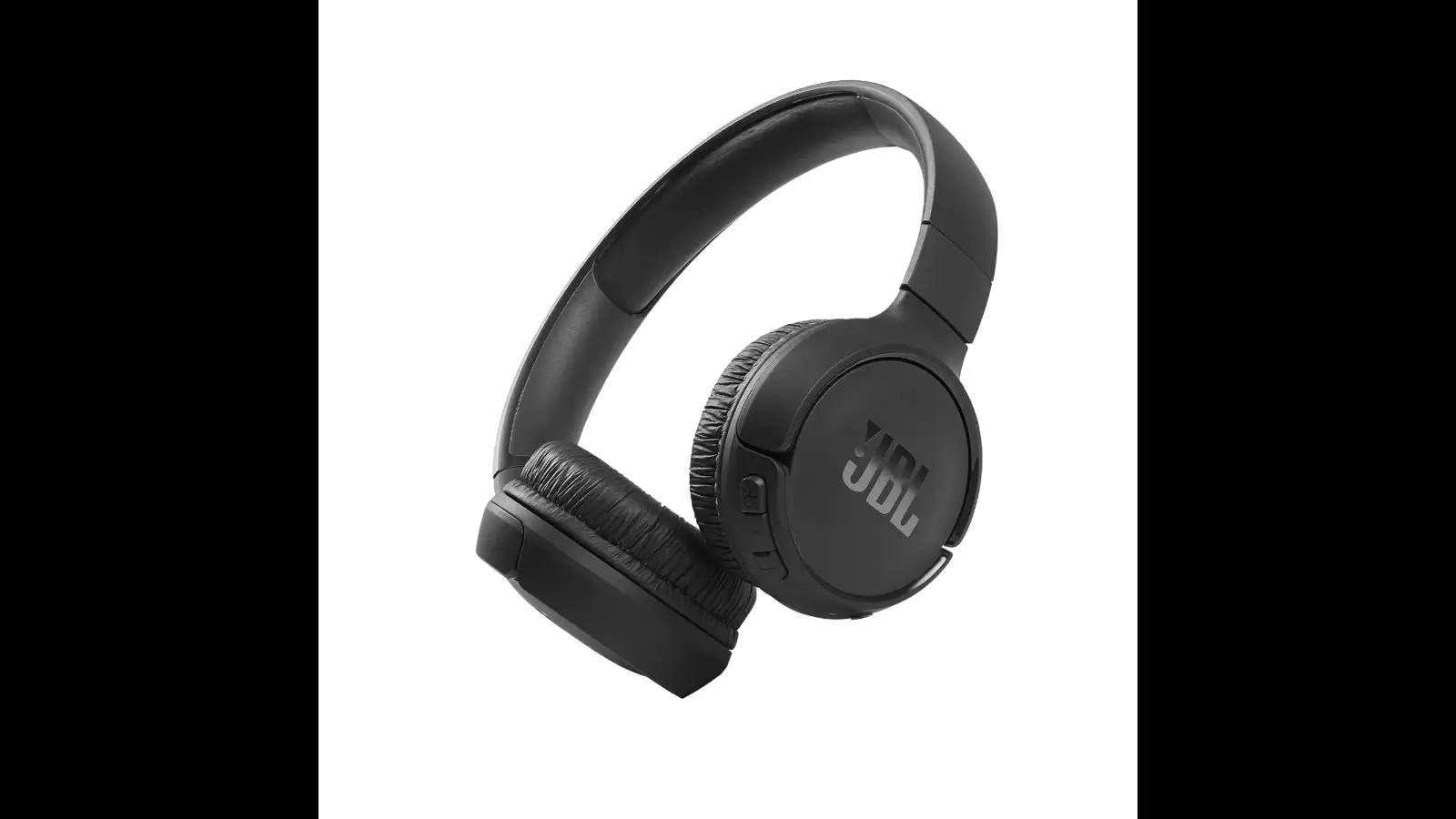
The JBL Tune 510BT keeps the experience straightforward with an on-ear design and up to 40 hours of playback. It features JBL's Pure Bass sound and supports Bluetooth 5.0.
You also get quick charging, dual pairing and voice assistant support, giving you the basics needed for music, calls and everyday phone use without making the headphones overly complicated.
Shop Now
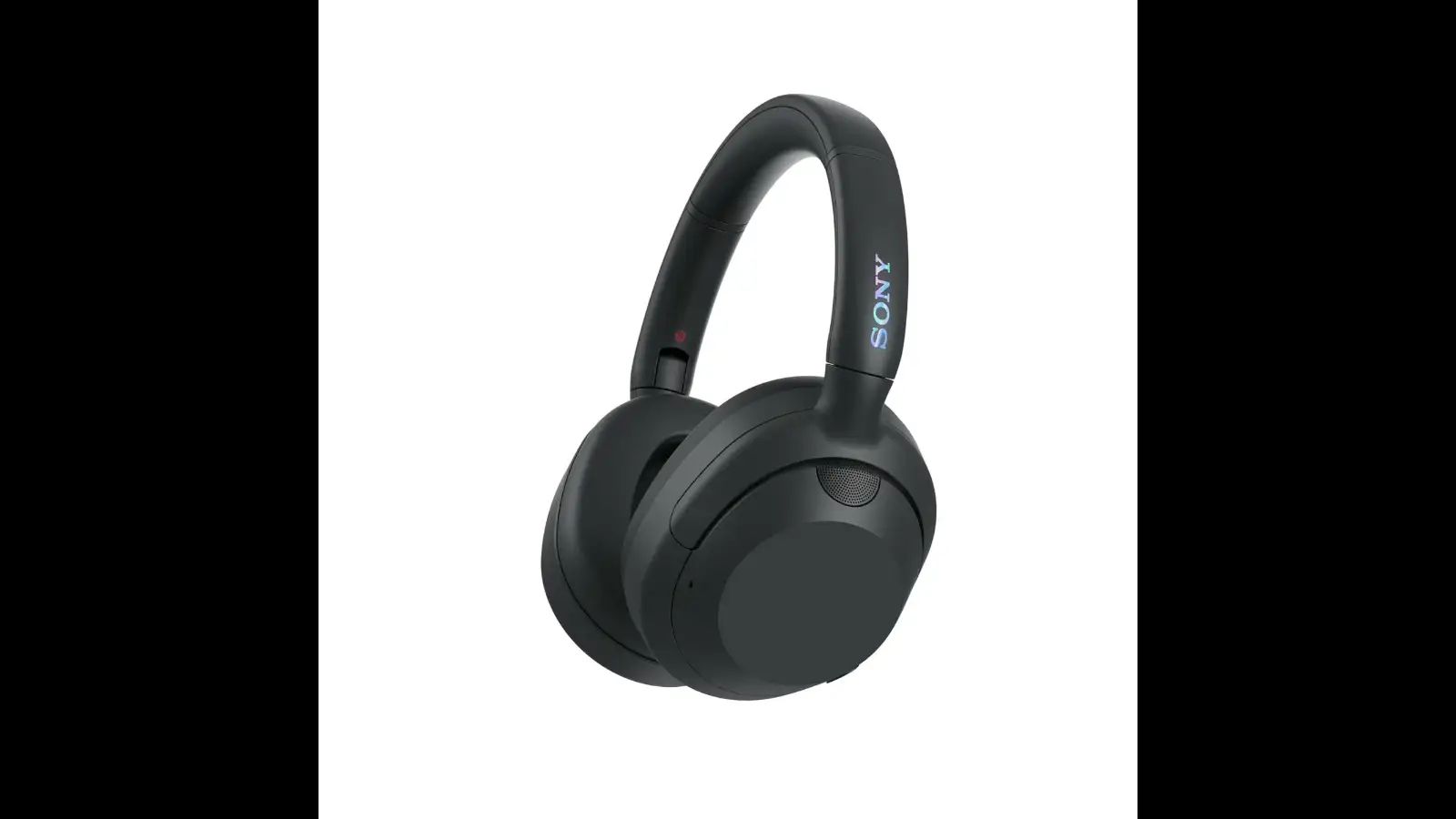
For listeners who like their music with extra punch, the Sony ULT Wear WH-ULT900N puts bass at the centre of the experience. The ULT sound profile is designed to deliver a stronger low-end response, while noise cancellation helps create a more focused listening environment.
It offers up to 50 hours of battery life and comes with an over-ear design. Bluetooth, hands-free calling and built-in Alexa support add to its everyday functionality.
Shop Now
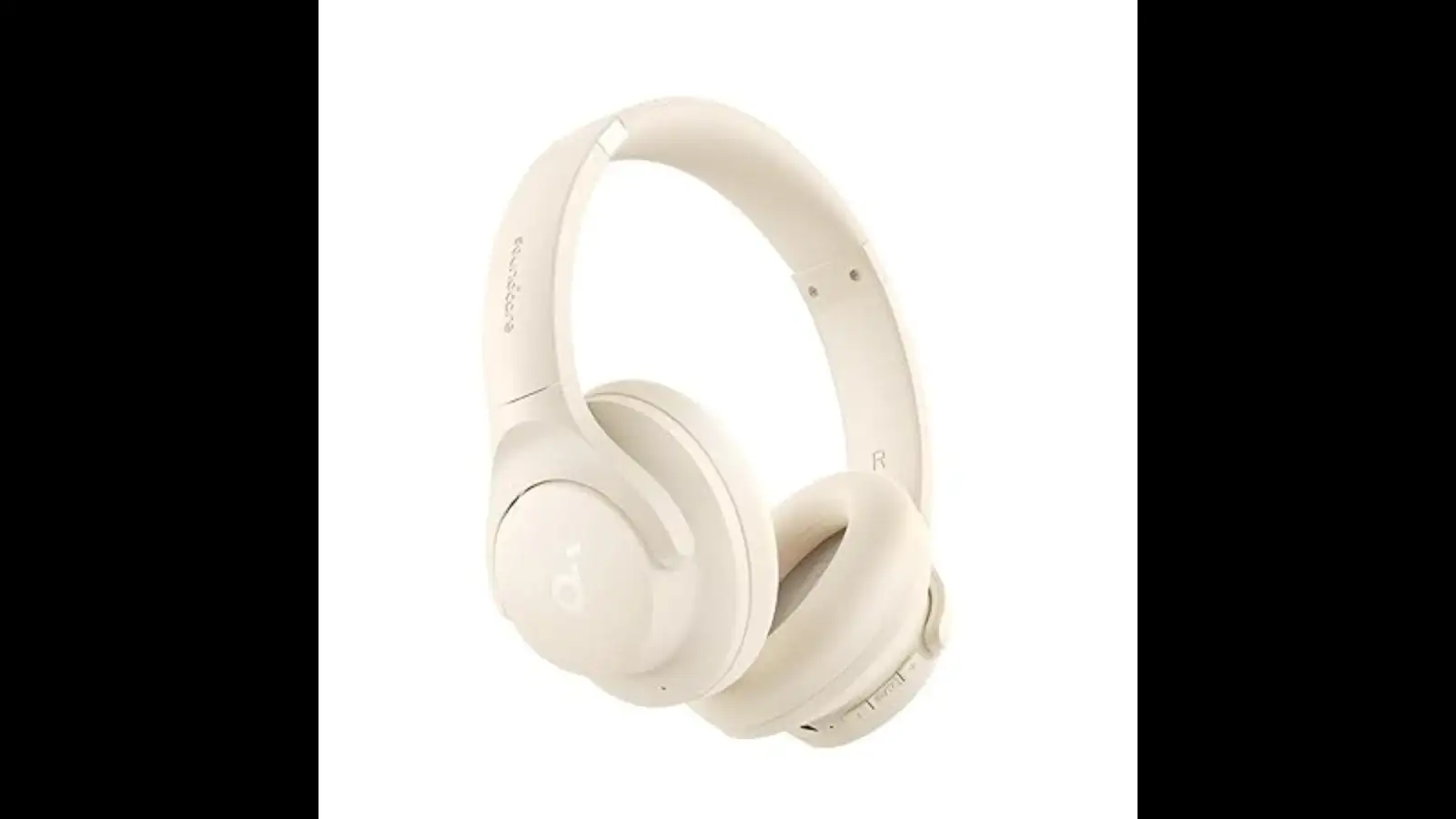
The soundcore by Anker Q20i takes a flexible approach to everyday listening. It features hybrid active noise cancellation for reducing surrounding sounds, while Transparency Mode lets you hear what's happening around you when required.
The headphones provide up to 40 hours of playtime with ANC and support Hi-Res Audio. You can also use the companion app to customise the sound according to your listening preferences.
Shop Now
But the best Bluetooth headphones for you depend on how you plan to use them. Some listeners may want powerful bass, while others may prioritise active noise cancellation (ANC), long battery life, quick charging or multipoint connectivity.
Here are five options that offer different combinations of features.
1. Noise Airwave Max XR
The Noise Airwave Max XR is aimed at listeners who don't want to keep reaching for their charger. Its headline feature is up to 120 hours of playback, making it particularly interesting for frequent travellers and people who listen for several hours each day.
It also includes ANC, spatial audio, dual pairing and Bluetooth 6.0. The over-ear format makes it a natural fit for longer listening sessions.
What Makes It Worth Considering?
The 120-hour claimed battery life is the standout feature, especially if charging your headphones frequently isn't convenient.Shop Now
2. Sennheiser ACCENTUM
The Sennheiser ACCENTUM Wireless brings together hybrid ANC, up to 50 hours of battery life and multipoint connectivity. That last feature can be especially useful if you regularly move between your phone and laptop.
It also supports quick charging, with a 10-minute charge providing up to five hours of playback. For people who often realise their headphones need charging just before leaving home, that's a useful addition.
What Makes It Worth Considering?
Its quick-charge capability and multipoint connectivity make it a practical choice for busy workdays and travel.Shop Now
3. JBL Tune
The JBL Tune 510BT keeps the experience straightforward with an on-ear design and up to 40 hours of playback. It features JBL's Pure Bass sound and supports Bluetooth 5.0.
You also get quick charging, dual pairing and voice assistant support, giving you the basics needed for music, calls and everyday phone use without making the headphones overly complicated.
What Makes It Worth Considering?
The simple on-ear design and everyday connectivity features make it suitable for listeners who prefer an uncomplicated wireless setup.Shop Now
4. Sony ULT Wear
For listeners who like their music with extra punch, the Sony ULT Wear WH-ULT900N puts bass at the centre of the experience. The ULT sound profile is designed to deliver a stronger low-end response, while noise cancellation helps create a more focused listening environment.
It offers up to 50 hours of battery life and comes with an over-ear design. Bluetooth, hands-free calling and built-in Alexa support add to its everyday functionality.
What Makes It Worth Considering?
The bass-focused audio experience makes this a strong contender for listeners who enjoy energetic music and deeper low frequencies.Shop Now
5. soundcore by Anker
The soundcore by Anker Q20i takes a flexible approach to everyday listening. It features hybrid active noise cancellation for reducing surrounding sounds, while Transparency Mode lets you hear what's happening around you when required.
The headphones provide up to 40 hours of playtime with ANC and support Hi-Res Audio. You can also use the companion app to customise the sound according to your listening preferences.
What Makes It Worth Considering?
The combination of ANC, Transparency Mode and app-based sound adjustment gives you more control over how you listen in different surroundings.Shop Now
How to Choose the Best Bluetooth Headphones
Before buying, think about your daily listening habits rather than simply looking for the longest battery life or the newest Bluetooth version.Next Story