
What to Do if Your Smartphone Gets Wet During the Monsoon

A smartphone has become an essential part of everyday life, helping us communicate, work, pay bills, navigate, and capture memories. That is why dropping it into water or getting caught in a heavy downpour can be incredibly stressful. Although many modern smartphones come with water-resistant features, they are not completely waterproof. Rainwater, puddles, swimming pools, or accidental spills can still damage internal components if the device is not handled properly. Acting quickly and following the correct steps can significantly improve the chances of saving your phone. Just as importantly, avoiding common mistakes can prevent minor water exposure from turning into permanent damage.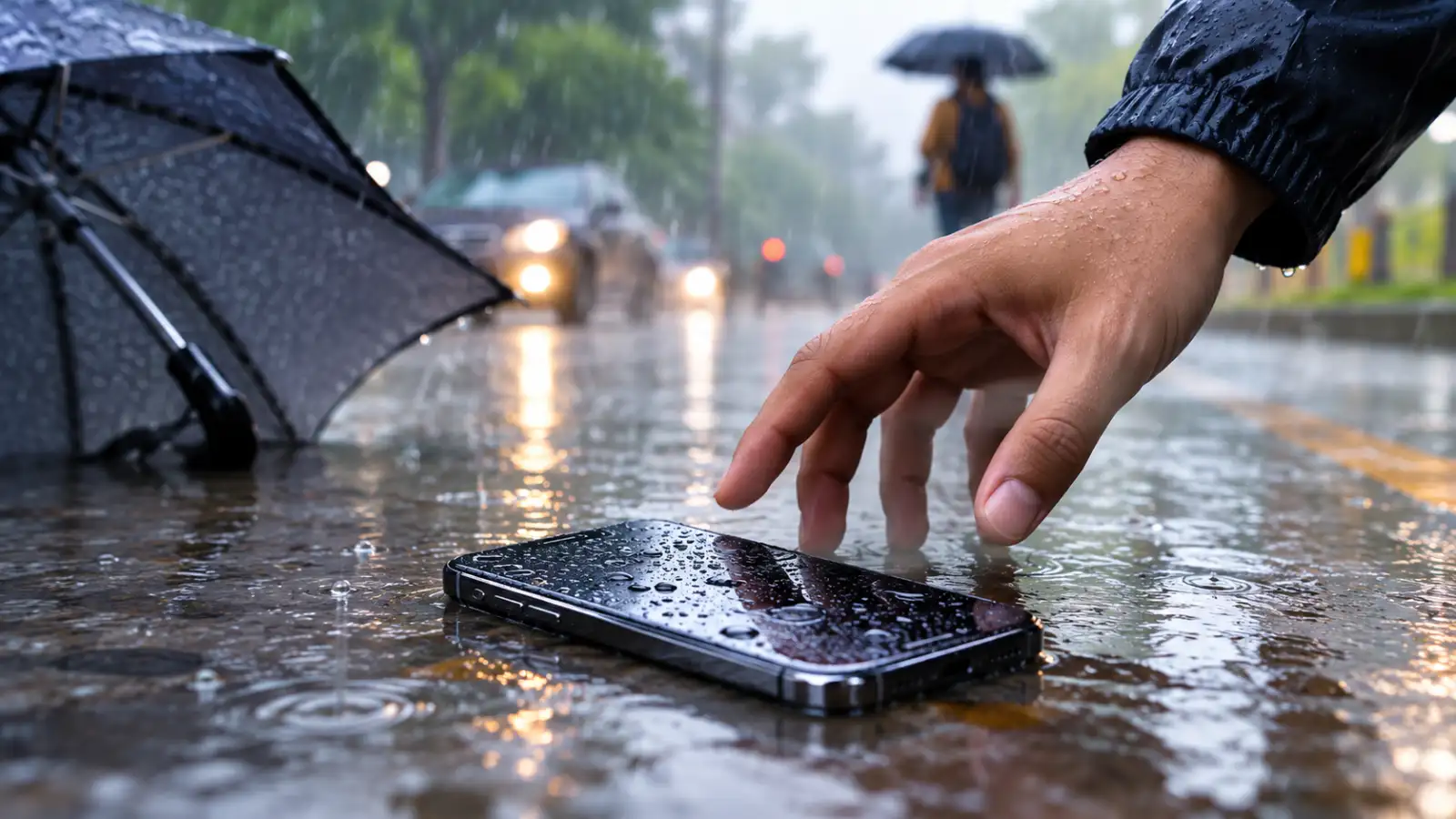
Switch the phone off immediately if it is still powered on. If the screen is already black, avoid pressing the power button repeatedly to check whether it still works. Electricity passing through wet internal components can cause short circuits that may permanently damage the device.
If your phone has a removable SIM card tray, take it out to allow trapped moisture to escape more easily.
Pay close attention to the charging port, speaker grilles, microphone openings, and buttons, as these areas often trap moisture. Gently shake the phone to remove excess water, but avoid shaking it vigorously, as this may push water deeper inside.
If available, place the device in front of a fan to improve air circulation and speed up natural drying.
One of the biggest myths is placing a wet phone in a bowl of uncooked rice. While rice may absorb a small amount of surface moisture, it is generally ineffective at removing water trapped inside the phone. Tiny rice particles can also become lodged in charging ports or speakers.
Similarly, avoid using a hair dryer, microwave, oven, or direct sunlight to dry the device. Excessive heat can damage batteries, screens, seals, and delicate electronic components.
Trying to charge the phone before it has completely dried is another common mistake that can lead to permanent electrical damage.
Leave the phone in a dry, well-ventilated place for at least 24 to 48 hours before attempting to switch it on or connect it to a charger. Some manufacturers recommend even longer drying times if the phone has been fully submerged.
Silica gel packets, commonly found in new shoe boxes or electronic packaging, can help absorb moisture more effectively than rice if placed alongside the phone in a sealed container.
Interestingly, many modern smartphones include liquid contact indicators that change colour when exposed to moisture. These indicators help technicians determine whether water has entered the device.
Check the touchscreen, speakers, microphones, cameras, charging port, fingerprint sensor, and wireless connectivity. Even if the phone appears to work normally, hidden moisture can sometimes cause problems days later.
If you notice distorted audio, charging issues, overheating, or random restarts, stop using the device and have it inspected by an authorised service centre.
Water resistance can weaken over time due to accidental drops, worn seals, repairs, or normal ageing. Saltwater, chlorinated water, soap, and sugary drinks are also far more damaging than clean fresh water because they leave behind corrosive residues.
This is why manufacturers generally do not recommend intentionally exposing even water-resistant phones to water.
Remove the Phone From Water Immediately
The sooner you take your phone out of the water, the better the chances of preventing serious damage.Switch the phone off immediately if it is still powered on. If the screen is already black, avoid pressing the power button repeatedly to check whether it still works. Electricity passing through wet internal components can cause short circuits that may permanently damage the device.
If your phone has a removable SIM card tray, take it out to allow trapped moisture to escape more easily.
Dry the Exterior Carefully
Use a soft, clean, lint-free cloth to wipe away visible water from the phone.Pay close attention to the charging port, speaker grilles, microphone openings, and buttons, as these areas often trap moisture. Gently shake the phone to remove excess water, but avoid shaking it vigorously, as this may push water deeper inside.
If available, place the device in front of a fan to improve air circulation and speed up natural drying.
Avoid Common Mistakes
Many people panic and unknowingly make the situation worse.One of the biggest myths is placing a wet phone in a bowl of uncooked rice. While rice may absorb a small amount of surface moisture, it is generally ineffective at removing water trapped inside the phone. Tiny rice particles can also become lodged in charging ports or speakers.
Similarly, avoid using a hair dryer, microwave, oven, or direct sunlight to dry the device. Excessive heat can damage batteries, screens, seals, and delicate electronic components.
Trying to charge the phone before it has completely dried is another common mistake that can lead to permanent electrical damage.
Let the Phone Dry Naturally
Patience is often the most effective solution.Leave the phone in a dry, well-ventilated place for at least 24 to 48 hours before attempting to switch it on or connect it to a charger. Some manufacturers recommend even longer drying times if the phone has been fully submerged.
Silica gel packets, commonly found in new shoe boxes or electronic packaging, can help absorb moisture more effectively than rice if placed alongside the phone in a sealed container.
You may also like
- Wamiqa Gabbi's bold pixie cut is giving Princess Diana elegance and Zendaya energy
- More than petrichor: Why rain makes us feel happier, calmer, even nostalgic
- How does an account get drained without even sharing the OTP?
- Effective Skincare Tips for Oily Skin in Monsoon
- Revive Your Dried Mascara with Simple Home Remedies
Interestingly, many modern smartphones include liquid contact indicators that change colour when exposed to moisture. These indicators help technicians determine whether water has entered the device.
Check for Signs of Damage
After allowing sufficient drying time, turn the phone on and test its main functions.Check the touchscreen, speakers, microphones, cameras, charging port, fingerprint sensor, and wireless connectivity. Even if the phone appears to work normally, hidden moisture can sometimes cause problems days later.
If you notice distorted audio, charging issues, overheating, or random restarts, stop using the device and have it inspected by an authorised service centre.
Can Water-Resistant Phones Still Be Damaged?
Many smartphones today carry water-resistance ratings such as IP67 or IP68, but these ratings apply only under controlled laboratory conditions.Water resistance can weaken over time due to accidental drops, worn seals, repairs, or normal ageing. Saltwater, chlorinated water, soap, and sugary drinks are also far more damaging than clean fresh water because they leave behind corrosive residues.
This is why manufacturers generally do not recommend intentionally exposing even water-resistant phones to water.






Loving Newspoint? Download the app now
