
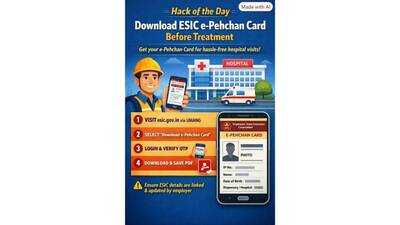
Hack of the day: Download ESIC e-Pehchan card before treatment


For workers covered under the Employees' State Insurance scheme, one of the most common points of friction isn't the medical treatment itself, it's proving coverage at the hospital counter. Many insured employees only realise they need their ESIC card when they're already standing in a queue, and by then, tracking it down often means calling HR or waiting on an employer who may be slow to respond. The fix is simpler than most people realise: the e-Pehchan card can be downloaded directly by the employee, in advance, through the Umang app .
What it solvesUnder the ESI Act, insured workers and their dependents are entitled to medical and cash benefits, but accessing that care at an ESIC hospital or dispensary requires proof of coverage. Without a physical or digital copy of the e-Pehchan card on hand, workers can face delays or confusion at the point of treatment, especially in urgent situations where there's no time to chase down paperwork. Since the card can be pulled up as a PDF on a phone, keeping a saved copy removes this friction entirely, well before it becomes a problem.
What to doThe e-Pehchan card can be downloaded either through the ESIC Insured Person portal or through the Umang app, a central government platform that bundles access to services like ESIC, EPF passbook checks, gas cylinder bookings and more into a single app. For most employees, Umang is the quicker route since it doesn't require remembering separate ESIC portal credentials.
Steps to follow1.Open the Umang app or ESIC services on the portal. Install Umang from the Play Store or App Store if it isn't already on your phone, or head to the ESIC section on the portal.
2.Select " Download e-Pehchan Card ." Once inside the ESIC section of the app, scroll to find this option among the available services.
3.Log in with your mobile number or IP credentials. Umang typically asks for your registered mobile number, while the ESIC portal itself may ask for your Insurance Number (IP number) and password.
4.Verify with OTP if asked. A one-time password will be sent to your registered mobile number to confirm your identity before the card can be generated.
5.Download and save the PDF. Once verified, the e-Pehchan card can be downloaded and saved directly to your phone, ready to be shown at a hospital or dispensary whenever needed.
A quick note before you startThis only works smoothly if your ESIC details, including Aadhaar, have been linked and updated by your employer. Without that step completed on the employer's end, the card generation may not go through, so it's worth confirming with your HR or payroll team that your ESIC registration and Aadhaar linkage are up to date before relying on this method.
What it solvesUnder the ESI Act, insured workers and their dependents are entitled to medical and cash benefits, but accessing that care at an ESIC hospital or dispensary requires proof of coverage. Without a physical or digital copy of the e-Pehchan card on hand, workers can face delays or confusion at the point of treatment, especially in urgent situations where there's no time to chase down paperwork. Since the card can be pulled up as a PDF on a phone, keeping a saved copy removes this friction entirely, well before it becomes a problem.
What to doThe e-Pehchan card can be downloaded either through the ESIC Insured Person portal or through the Umang app, a central government platform that bundles access to services like ESIC, EPF passbook checks, gas cylinder bookings and more into a single app. For most employees, Umang is the quicker route since it doesn't require remembering separate ESIC portal credentials.
Steps to follow1.Open the Umang app or ESIC services on the portal. Install Umang from the Play Store or App Store if it isn't already on your phone, or head to the ESIC section on the portal.
2.Select " Download e-Pehchan Card ." Once inside the ESIC section of the app, scroll to find this option among the available services.
3.Log in with your mobile number or IP credentials. Umang typically asks for your registered mobile number, while the ESIC portal itself may ask for your Insurance Number (IP number) and password.
4.Verify with OTP if asked. A one-time password will be sent to your registered mobile number to confirm your identity before the card can be generated.
5.Download and save the PDF. Once verified, the e-Pehchan card can be downloaded and saved directly to your phone, ready to be shown at a hospital or dispensary whenever needed.
A quick note before you startThis only works smoothly if your ESIC details, including Aadhaar, have been linked and updated by your employer. Without that step completed on the employer's end, the card generation may not go through, so it's worth confirming with your HR or payroll team that your ESIC registration and Aadhaar linkage are up to date before relying on this method.
Next Story