
Hack of the Day: How to secure your online accounts with passkeys


'The Times of India' brings you 'Hack of the Day' - a new weekday series of quick, practical solutions to everyday hassles. Each hack is designed to save you time, money or stress, using tools and features within your reach—from government websites to everyday apps. In simple terms, it's simple fixes for smarter living.'
It's being said that the best way to keep your account safe is to use a complex password and do not repeat it for multiple accounts. But with so many profiles across social media platforms, office email, personal inbox and more, remembering a dozen complex passwords can be an absolute hassle. For a smarter, stress-free fix, you can make the switch to passkeys . Today, we are breaking down the simplest and most secure way to sign into your digital accounts completely password-free.
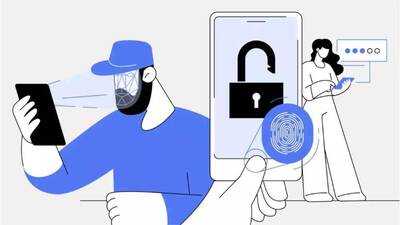
What is a Passkey and why use it
A passkey is a modern alternative to traditional passwords. Instead of typing long string of letters and numbers, a passkey lets you log into your accounts using the exact same secure methods people use to unlock their phones or computers:
Unlike passwords, passkeys cannot be casually shared, copied, written down or accidentally handed over to a scammer, making your accounts virtually immune to phishing attacks.
Furthermore, if you set up a passkey on a Google Account protected by 2-Step Verification, it automatically bypasses the second authentication step because unlocking your device already proves you own it. Best of all, your biometric data (like your fingerprint or face scan) stays safely stored on your physical device and is never shared over the web.
How to set up Passkeys
It's being said that the best way to keep your account safe is to use a complex password and do not repeat it for multiple accounts. But with so many profiles across social media platforms, office email, personal inbox and more, remembering a dozen complex passwords can be an absolute hassle. For a smarter, stress-free fix, you can make the switch to passkeys . Today, we are breaking down the simplest and most secure way to sign into your digital accounts completely password-free.
What is a Passkey and why use it
A passkey is a modern alternative to traditional passwords. Instead of typing long string of letters and numbers, a passkey lets you log into your accounts using the exact same secure methods people use to unlock their phones or computers:
- Your fingerprint
- A face scan
- Your device's screen lock PIN or pattern
Unlike passwords, passkeys cannot be casually shared, copied, written down or accidentally handed over to a scammer, making your accounts virtually immune to phishing attacks.
Furthermore, if you set up a passkey on a Google Account protected by 2-Step Verification, it automatically bypasses the second authentication step because unlocking your device already proves you own it. Best of all, your biometric data (like your fingerprint or face scan) stays safely stored on your physical device and is never shared over the web.
How to set up Passkeys
Next Story