How a Fake Wi-Fi Hotspot with a Familiar Name Steals Your Data

Your smartphone retains a memory of every Wi-Fi network you have ever connected to. When it encounters a familiar network name, it automatically connects without requiring you to tap or take any further action. This single aspect of convenience, which is a standard feature integrated into each smartphone, serves as the pathway through which a malicious hotspot attack can seamlessly penetrate.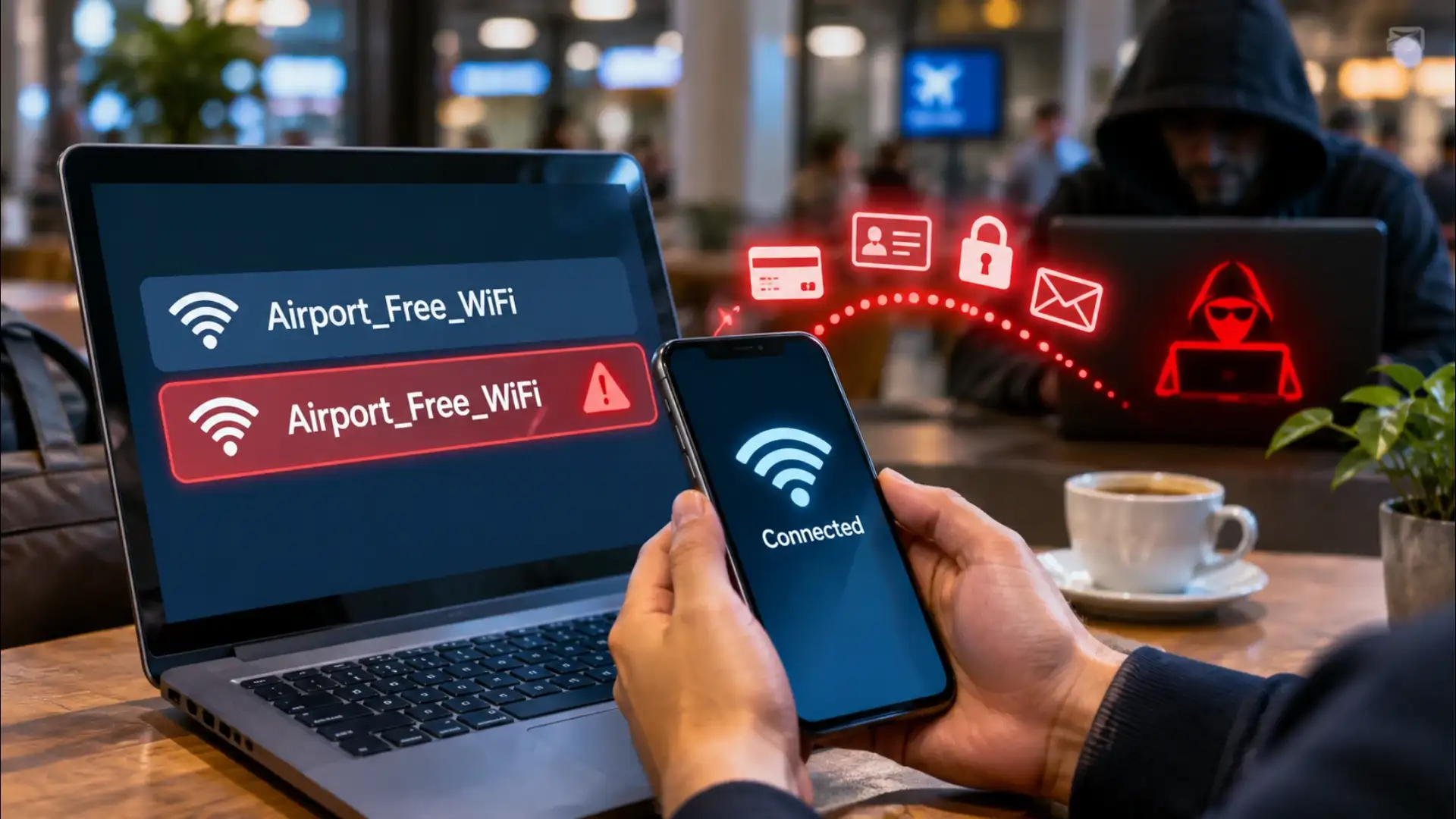
A VPN routes your traffic through an encrypted tunnel before it leaves your device, which means an attacker on a fake hotspot sees only scrambled data regardless of what the destination site does. This is the strongest single protection for anyone who regularly uses public Wi-Fi. The VPN must be active before you connect, not after.
Mobile data bypasses the problem entirely. If the task involves a password or a payment, switching to your carrier's network and turning Wi-Fi off for those few seconds costs nothing and removes the attack surface completely.
What an Evil Twin Hotspot Actually Is
A genuine Wi-Fi router broadcasts a name, the SSID, and devices nearby see it. Anyone with a laptop and free software can broadcast any name they choose. An attacker sitting in a busy café scans for the real network name, copies it exactly, and starts broadcasting the same name at higher power. Phones nearby see two networks with the same name and connect to whichever signal is stronger. The attacker's device is almost always closer, so it wins. The phone joins without a prompt, the user notices nothing, and the attacker now sits between the phone and the internet, a position called a man-in-the-middle.What the Attacker Can See
Traffic that travels over an unencrypted connection, plain HTTP rather than HTTPS, arrives at the attacker's device in readable form. Login credentials, form submissions, and session cookies for sites that do not enforce HTTPS are exposed as plain text. Even on HTTPS connections, an attacker running a technique called SSL stripping can sometimes downgrade the connection to HTTP without the user noticing, particularly on older apps or sites that handle the redirect poorly. Beyond content, the attacker sees every domain the phone queries, which builds a clear picture of what the user is doing even when the data itself is encrypted.You may also like
- Digital Life Certificate 2026: Generate Jeevan Pramaan From Home Using Aadhaar Face Authentication
- Digital Life Certificate 2026: Pensioners Can Submit Jeevan Pramaan Using Face Authentication Before November 30
- Apple's latest beta puts AI to work in conversations, at the gym and in the Health app
- Vivo V80 FE to Feature 50MP ZEISS Cameras and 90W Fast Charging
- Samsung Galaxy S27 Ultra Could Feature Redesigned Camera Bar for Magnetic Accessories
Why the Phone Trusts the Fake Network
The Wi-Fi standard identifies a network by its name and, optionally, by a hardware identifier called the BSSID. Most phones store the name and trust any router broadcasting it. They do not verify that the router is the same physical device they joined before. This is a design trade-off that has existed since Wi-Fi was built: strict verification would break legitimate setups where a business runs dozens of access points under one name. The attacker exploits exactly that tolerance. The phone is not malfunctioning, it is doing what it was designed to do, and the design has a gap.The Habit That Closes the Gap
One setting removes most of the risk: turn off auto-join for any network you do not control completely. On both major mobile platforms, each saved network has an option to stop it from connecting automatically. Keep auto-join only for your home network and your mobile data. In any public space, an airport, a railway station, a hotel lobby, a café, connect manually, confirm the exact network name with staff, and disconnect when you leave.A VPN routes your traffic through an encrypted tunnel before it leaves your device, which means an attacker on a fake hotspot sees only scrambled data regardless of what the destination site does. This is the strongest single protection for anyone who regularly uses public Wi-Fi. The VPN must be active before you connect, not after.
Mobile data bypasses the problem entirely. If the task involves a password or a payment, switching to your carrier's network and turning Wi-Fi off for those few seconds costs nothing and removes the attack surface completely.






Loving Newspoint? Download the app now