
Chrome for Android Gets Long-Awaited Back Button in Version 150

Google has introduced a noticeable change in the user interface in chrome for Android version 150 . The highlight of the update is the addition of a dedicated back button inside the chrome’s three dot overflow menu. This feature is designed to make the navigation process easier, especially for the users who rely on one handed browsing or prefer on screen control over the Android’s gesture navigation.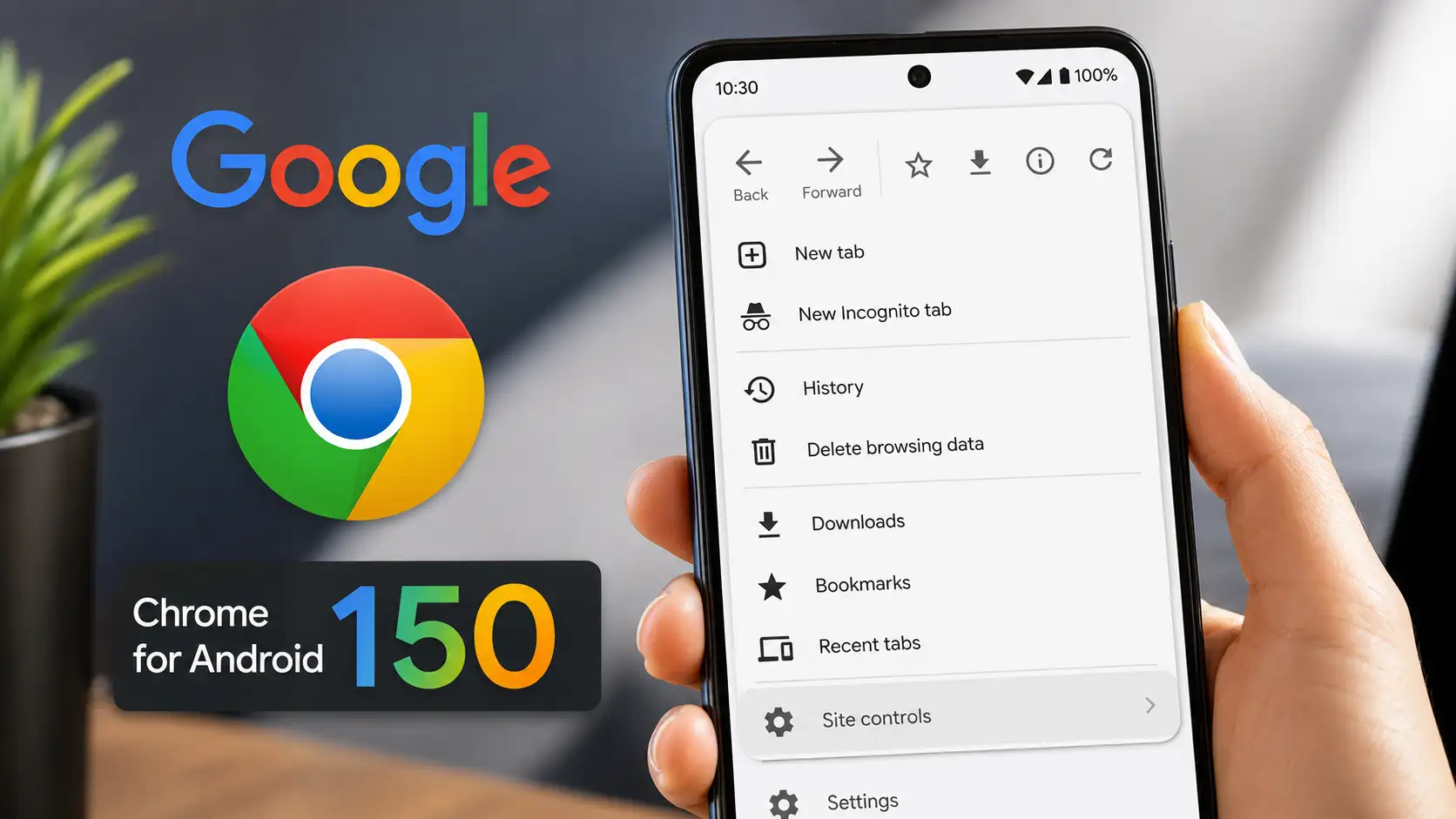
Until now, Chrome for Android only displayed a forward button at the top of the overflow menu. With version 150, users now see both Back and Forward buttons side by side, this gives users another way to return to the previous webpage without depending on Android’s system back gesture or navigation buttons. The change makes Chrome’s Android interface more consistent with the version available on iPhone, which already offers similar navigation shortcuts.
Many android users browse with one hand, making gesture navigation less convenient in certain situation, a dedicated back button provides
Google has not only added a Back button but has also reorganized Chrome’s overflow menu. The changes include:
The previous Info (i) button has been removed from the top row. Information previously available under the Info button has been relocated.
Apart from the Navigation changes, some menu shortcuts have been rearranged for easier access. Frequently used options such as bookmark and downloads appear in update positions. Certain menu labels have been renamed to better reflect their functionality.
The update focuses primarily on improving everyday usability rather than introducing major new features.
Expected benefits include:
These small improvements collectively enhance the browsing experience without significantly changing how Chrome functions.
Chrome for Android version 150 introduces a practical quality-of-life improvement by adding a dedicated Back button to the browser's overflow menu. Combined with the redesigned menu layout, new Site controls section, and reorganized shortcuts, the update makes browsing more intuitive and accessible. While the changes are relatively small, they demonstrate Google's ongoing focus on refining the user experience through thoughtful interface enhancements.
Dedicated Button finally arrived
Until now, Chrome for Android only displayed a forward button at the top of the overflow menu. With version 150, users now see both Back and Forward buttons side by side, this gives users another way to return to the previous webpage without depending on Android’s system back gesture or navigation buttons. The change makes Chrome’s Android interface more consistent with the version available on iPhone, which already offers similar navigation shortcuts.
Why does this change matter ?
Many android users browse with one hand, making gesture navigation less convenient in certain situation, a dedicated back button provides
- Faster page navigation.
- Easier access for users unfamiliar with gesture controls.
- Improved usability on larger smartphones.
- Better accessibility for users who prefer visible navigation controls.
- The update also reduces the need to rely solely on Android’s system interface for browser navigation.
- Menu layout has been redesigned
Google has not only added a Back button but has also reorganized Chrome’s overflow menu. The changes include:
You may also like
- Google will soon make millions of Android phones look vastly out of date
- India unlikely to face immediate energy supply concerns despite geopolitical tensions
- Jeff Bezos' ex-wife MacKenzie Scott donates $20 million to US youth mental health nonprofit
- Urgent Amazon email warning as all UK customers placed on red alert
- How Apple's lawsuit against OpenAI that calls hardware business of company "rotten to its core" may mean end of Sam Altman's 'device dreams'
The previous Info (i) button has been removed from the top row. Information previously available under the Info button has been relocated.
Other small interface improvements
Apart from the Navigation changes, some menu shortcuts have been rearranged for easier access. Frequently used options such as bookmark and downloads appear in update positions. Certain menu labels have been renamed to better reflect their functionality.
User experience benefits
The update focuses primarily on improving everyday usability rather than introducing major new features.
Expected benefits include:
- Quicker browser navigation.
- Reduced dependence on Android system gestures.
- More intuitive menu organization.
- Easier discovery of site settings.
- Improved one-handed operation.
- Cleaner and more modern interface design.
These small improvements collectively enhance the browsing experience without significantly changing how Chrome functions.
Chrome for Android version 150 introduces a practical quality-of-life improvement by adding a dedicated Back button to the browser's overflow menu. Combined with the redesigned menu layout, new Site controls section, and reorganized shortcuts, the update makes browsing more intuitive and accessible. While the changes are relatively small, they demonstrate Google's ongoing focus on refining the user experience through thoughtful interface enhancements.






Loving Newspoint? Download the app now
